ร
ZYNO Procurement
+
ZYNO Manufacturing ERP
+
Production Planning & Scheduling
Quotes & Sales Orders (Manufacturing CRM)
Product Configurator
Mobile App
AI-Powered Demand Forecasting
Field Service Management
Ticket Management Software
Training Management System
Document Management
Analytics & Reporting
Expense Management Software
Bill of Materials (BOM)
Finance & Cost Accounting
Statutory Compliance & Taxation
Subcontracting & Outside Processing
Project-Based Manufacturing
Quality Control & Compliance
Maintenance & Asset Management
Procurement & Supplier Management
Inventory & Warehouse Management
Vendor Management Software
Live Shop-Floor
ZYNO Books
+
ZYNO CRM
+
ZYNO HRMS
+
Integrated recruitment
Learning management
Mobile app
HR chatbot
Custom services
HR automation
Business chat and collaboration
Employee engagement
Integrated travel and expense
Integrated payroll software
Compensation management
Onboarding
Performance management
HR analytics
Digital Document management
HR help desk
Timesheets
Leave management
Shift management
Attendance management
Employee management
Integrations
ZYNO Expenz
+
Receipt Scanning
Mobile App
Audit And Compliance
Rules
Expense Reports
Petty Cash
invoices
Bill Pay
budgets
Chat
Virtual Cards
Global Reimbursement
Company Level Policy
Corporate Card Import
Corporate Booking
Smart Spend Management
Ai Powered Expense Management
Track Expenses
Whatsapp Expense Tracker
Fraud Detection
Financial Reporting
ZYNO EduVibe
+
ZYNO Upskill
+
ZYNO Rewards
+
ZYNO HIMS
+
ZYNO Legal
+
ZYNO Assets
+
ZYNO Audit
+
ZYNO Retail
+
ZYNO Recruit
+
ZYNO Projects
+
ZYNO POS
+
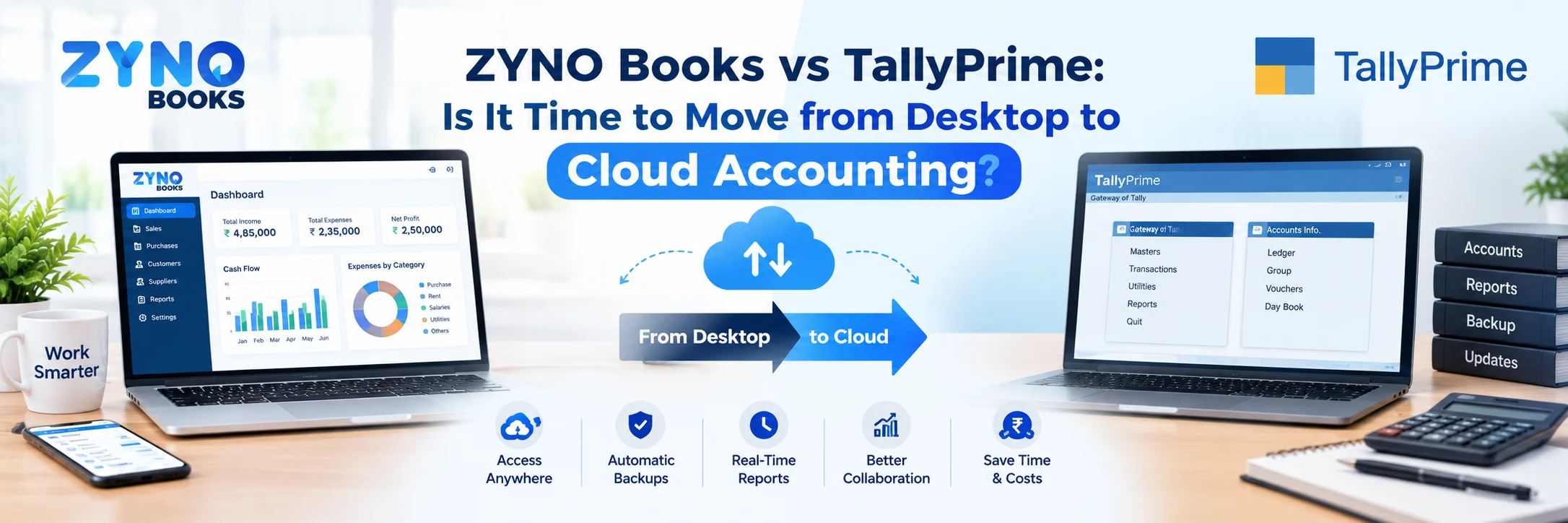
Cloud vs desktop accounting รขโฌโ which is right for your business? Compare costs, security, access & features to find the best accounting software for your needs. See why ZYNO Books is the smarter choice.
Every business owner faces one important question at some point: cloud vs desktop accounting - which one should I choose? The answer is not always obvious. Both options come with their own strengths. Both have limitations, too. But the decision you make today will shape how smoothly your finances run for years to come.
In this blog, we break down cloud vs desktop accounting in simple, plain language. We will look at costs, security, access, features, and real-world usability. By the end, you will know exactly how to choose accounting software that fits your business - and why platforms like ZYNO Books are helping international businesses make the switch confidently.
Before we compare, let us first understand what each option actually means. Cloud vs desktop accounting is fundamentally about where your financial data lives and how you access it.
Desktop accounting software is installed directly on your computer. Your financial data stays on that machine's hard drive. You need to be physically present at that computer to access your books. This is the traditional approach that many businesses still use today. The cost of desktop accounting typically involves a one-time license fee. However, ongoing costs like hardware maintenance, manual upgrades, and IT support add up quickly over time.
The desktop accounting software features are often robust and customizable. They work even without an internet connection. For businesses in areas with poor connectivity, this can be a real advantage. Additionally, data backup desktop accounting is fully in the hands of the user - you decide when and how to back up your files.
Cloud accounting software runs on remote servers. You access it through a web browser or mobile app. Your data is stored online, not on your local machine. The benefits of cloud accounting are significant. You can log in from anywhere - your office, home, or even a client's location. All you need is an internet connection.
The cost of cloud accounting follows a subscription model - you pay monthly or annually. This makes it easier to budget. Additionally, data backup cloud accounting is automatic. The software provider handles it for you. You never have to worry about losing your data due to a hardware failure.
| Feature | Cloud Accounting | Desktop Accounting |
|---|---|---|
| Access | Anywhere, any device | Only on the installed machine |
| Cost Model | Monthly/annual subscription | One-time license fee |
| Data Backup | Automatic cloud backup | Manual backup required |
| Updates | Automatic and instant | Manual installation needed |
| Collaboration | Real-time multi-user | Limited, one user at a time |
| Integration | Seamless app integrations | Limited third-party options |
| Internet Required | Yes | No |
| Customization | Moderate | High |
| Security | Enterprise-grade encryption | User-managed |
| Scalability | Easily scalable | Hardware dependent |
The benefits of cloud accounting go well beyond simple convenience. Cloud-based platforms are reshaping how businesses manage their money, their teams, and their growth. Let us look at the most impactful advantages.
One of the biggest cloud accounting benefits is mobility. With mobile access cloud accounting, you can check your cash flow, send invoices, and approve payments from your phone. Whether you are at a vendor meeting or traveling for work, your financial data travels with you.
Desktop software ties you to one machine. That means if you are away from your office, you simply cannot access your accounts. For business owners who move around frequently, this is a serious limitation that cloud accounting removes entirely.
A common concern businesses raise is about cloud accounting security. Many worry that storing data online makes it vulnerable. In reality, the opposite is often true.
Reputable cloud accounting platforms use enterprise-grade encryption. They run regular security audits. They also comply with data protection regulations. Cloud accounting security measures are often far stronger than what a small business can implement on its own local server. Moreover, data backup cloud accounting happens automatically. Even if your laptop is stolen or your office floods, your financial data stays safe in the cloud.
Desktop software, on the other hand, places the full burden of security on the user. If your hard drive crashes and you have not backed up recently, you could lose months or years of financial records. That is a risk that cloud accounting eliminates.
Another major advantage is cloud accounting software integration. Modern cloud platforms connect seamlessly with other business tools - payment gateways, CRM software, inventory systems, payroll tools, and banking apps.
This means your accounting software does not work in isolation. Instead, it becomes the financial hub of your entire operation. Cloud accounting software integration reduces manual data entry, eliminates duplicate records, and gives you a complete view of your business in real time. Desktop software, by comparison, typically offers limited integration options.
Cloud accounting supports multiple users working simultaneously. Your accountant, finance manager, and business partner can all access the same data at the same time. Everyone works with the same up-to-date numbers.
With desktop software, only one person can typically work on the accounts at a time. Sharing files means emailing spreadsheets or copying data to a USB drive. That process is slow, error-prone, and outdated in today's fast-moving business world.
ZYNO Books offers powerful cloud accounting built for global businesses — explore features, pricing, and more.
To be fair in our cloud vs desktop accounting comparison, we must acknowledge that desktop software is not obsolete. The benefits of desktop accounting are real for certain types of businesses.
The most important of all the benefits of desktop accounting is offline functionality. If your business operates in an area with unreliable internet, desktop software keeps working. Cloud software goes down the moment your connection drops. For manufacturing units, rural businesses, or locations with inconsistent connectivity, this is a genuine advantage.
Among the desktop accounting software features, deep customization stands out. Desktop platforms often allow businesses to modify workflows, reports, and data structures in ways that cloud platforms do not always support. If your business has very specific accounting requirements, desktop software may accommodate them better.
Some businesses feel more comfortable knowing their data never leaves their premises. With desktop software, your financial records stay entirely on your own servers or computers. For businesses in highly regulated industries, this level of control can matter.
That said, data backup desktop accounting remains a manual responsibility. If you forget to back up or if your hardware fails, you could lose critical records. This is one area where cloud software clearly has the upper hand.
Cost is often the deciding factor in the cloud vs desktop accounting debate. Let us look at this honestly through a proper accounting software cost comparison.
The cost of desktop accounting looks low at first. You pay a one-time license fee, and you own the software. However, the hidden costs pile up fast.
New versions often require purchasing fresh licenses
Hardware upgrades are needed as the software becomes heavier
IT support costs add up when something breaks
Manual data backup for desktop accounting takes staff time
Lost productivity when systems go down
Over five years, the cost of desktop accounting often exceeds what a cloud subscription would have cost. The upfront savings are frequently an illusion.
The cost of cloud accounting is predictable. You pay a fixed monthly or annual fee. That fee covers software updates, security, data storage, and customer support. There are no surprise hardware costs or IT bills.
Furthermore, the cost of cloud accounting scales with your business. You start small and add features as you grow. This makes it the smarter financial choice for most small businesses. A thorough accounting software cost comparison almost always favors cloud over the long term.
Security is a serious concern in cloud accounting vs desktop accounting. Business owners want to know their financial data is protected. Let us address this clearly.
Leading cloud platforms take cloud accounting security very seriously. They use 256-bit SSL encryption to protect data in transit. They store data on multiple servers in different locations. Even if one server fails, your data remains safe elsewhere.
Automatic security patches and compliance updates
Multi-factor authentication for user access
Role-based permissions to control who sees what
Automatic data backup cloud accounting, with version history
24/7 monitoring for suspicious activity
These cloud accounting security measures are far beyond what most small businesses can implement independently.
Desktop security depends entirely on the business. If you have a strong IT infrastructure and disciplined backup habits, desktop software can be reasonably secure. However, most small businesses do not have dedicated IT teams.
Hard drive failures, ransomware attacks, theft, and accidental deletion all pose real risks. Data backup desktop accounting is manual and easy to forget. One hardware failure without a recent backup can mean catastrophic data loss.
ZYNO Books uses bank-grade encryption and automatic backups to keep your business data protected 24/7.
Knowing how to choose accounting software is the real goal here. The choice between cloud vs desktop accounting comes down to your business's specific needs. Ask yourself these practical questions before deciding.
If multiple team members, your CA, or remote staff need to access your books, cloud accounting is the clear choice. Desktop software supports only one user at a time on one machine. Cloud platforms support unlimited concurrent users with role-based permissions.
If you have multiple offices, work from home sometimes, or travel frequently, mobile access cloud accounting is essential. Cloud accounting lets you access your data from any device, anywhere. Desktop software locks you to one location, which creates real operational bottlenecks.
If you prefer a lower upfront cost and predictable monthly expenses, cloud wins the accounting software cost comparison. If you prefer owning your software outright and have the IT resources to maintain it, a desktop may work. However, factor in the full cost of desktop accounting - including upgrades and maintenance - before deciding.
If you want your accounting to connect with your billing system, VAT portal, payment gateway, or inventory tool, cloud accounting software integration is what you need. Cloud platforms are built for connectivity. Desktop software was not designed with this level of integration in mind.
This is the one area where desktop software still wins. If your business operates in a location with very poor or no internet connectivity, desktop software provides uninterrupted access. However, for the vast majority of businesses in global cities and towns, reliable internet is now widely available.
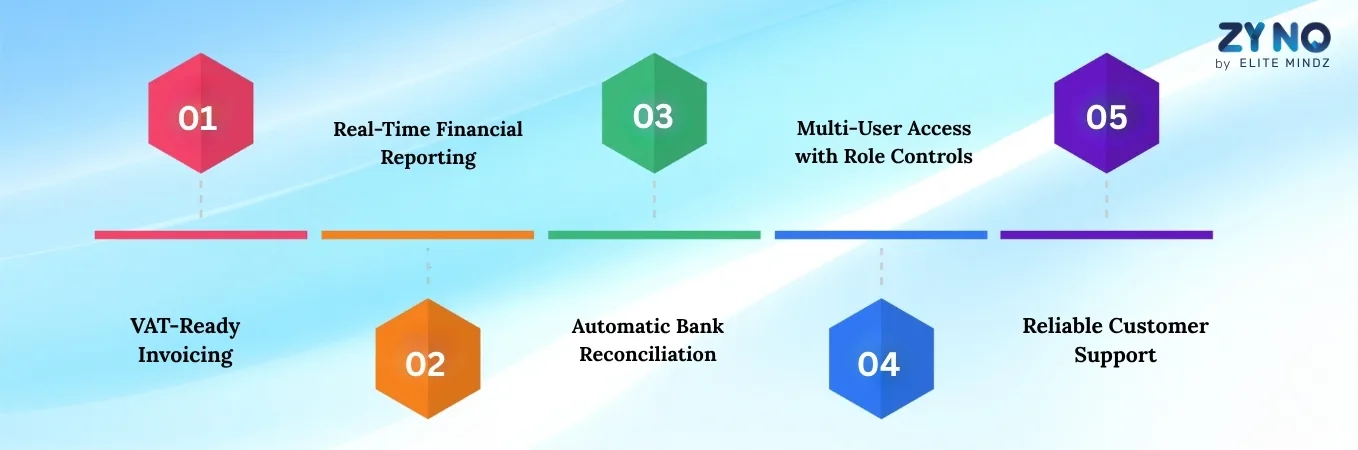
When searching for the best accounting software for small business, you need more than just basic bookkeeping. You need a platform that grows with you. Here is what truly matters.

Global businesses need VAT-compliant invoicing built in. The best accounting software for small business handles VAT automatically. It generates compliant invoices, calculates tax correctly, and makes filing easier.
You need profit and loss statements, balance sheets, and cash flow reports available at any time. Not just at month-end. The best accounting software for small business delivers live reports that help you make better decisions faster.
Manual bank reconciliation wastes hours. The best cloud platforms sync with your bank and match transactions automatically. This is one of the most time-saving cloud accounting benefits for busy business owners.
Your CA needs access. Your billing team needs access. But they should not all see the same things. The best accounting software for small business offers role-based permissions to protect sensitive data while enabling collaboration.
When something goes wrong, you need answers fast. Cloud accounting software reliability depends not just on uptime but also on the quality of support behind it. Choose a platform that offers responsive help when you need it.
If you are still weighing cloud vs desktop accounting, ZYNO Books makes that decision easy. Built specifically for global businesses, ZYNO Books delivers every advantage of cloud accounting in a simple, affordable package.
ZYNO Books delivers all the cloud accounting benefits that modern businesses need:
Mobile access cloud accounting - manage finances from any device
Automatic data backup cloud accounting - your data is always safe
Cloud accounting software integration with payment tools and banks
Real-time reporting and VAT-ready invoicing
Multi-user collaboration with role-based access controls
ZYNO Books makes accounting software cost comparison easy. The pricing is straightforward, with no surprise charges. You get full-featured cloud accounting vs desktop accounting value at a cost that works for small businesses. No hardware to buy. No IT support to hire. No manual upgrades to install.
ZYNO Books takes cloud accounting security seriously. Your financial data is encrypted, automatically backed up, and stored on secure servers. You always have the most current, protected version of your accounts available to you - from any device, at any time.
When it comes to cloud accounting software reliability, ZYNO Books delivers consistent uptime and fast performance. The platform is built to handle the demands of growing global businesses without slowing down or dropping connections during critical work.
After comparing every angle of cloud vs desktop accounting, the conclusion for global businesses is clear. Cloud accounting is the smarter choice for the modern business environment.
Here is a simple summary to guide your decision:
Choose cloud accounting if you need remote access, team collaboration, and automatic backups
Choose cloud accounting if you want predictable costs and seamless integrations
Choose desktop accounting if you operate in an area with no reliable internet
Choose desktop accounting if you need heavy customization for a specialized workflow
For the majority of businesses, cloud accounting wins on nearly every front
The cloud vs desktop accounting debate is largely settled for growing businesses. Cloud platforms offer more flexibility, better security, lower long-term costs, and features that desktop software simply cannot match. Furthermore, as your business grows, cloud accounting vs desktop accounting scalability becomes increasingly important. You cannot bolt new capabilities onto a desktop system the way you can expand a cloud platform.
The shift from cloud vs desktop accounting is not just a technology trend. It is a business necessity. As more businesses operate remotely, collaborate across locations, and demand real-time financial visibility, cloud accounting has become the foundation of smart financial management.
The benefits of cloud accounting - from mobile access cloud accounting to automatic data backup cloud accounting and powerful cloud accounting software integration - make it the right choice for businesses that are serious about growth.
If you are ready to move beyond the limitations of desktop software and embrace the full potential of cloud-based financial management, ZYNO Books is here to help. As one of the best accounting software for small business platforms in the international market, ZYNO Books gives you everything you need to manage your money with confidence.
Join global businesses using ZYNO Books — smarter, simpler, and more secure financial management starts here.
Q1. What is the main difference between cloud vs desktop accounting?
The main difference in cloud vs desktop accounting comes down to where your data lives. Desktop accounting stores all your financial data on a single local computer. Cloud accounting stores your data on secure remote servers. With cloud accounting, you can access your books from any device, anywhere, at any time. Desktop software ties you to one physical machine.
Q2. Is cloud accounting more secure than desktop accounting?
Yes, in most cases, cloud accounting is more secure. Leading cloud accounting platforms use 256-bit SSL encryption, multi-factor authentication, and automatic data backups. These cloud accounting security measures are far stronger than what most small businesses can set up on their own. Desktop accounting puts the entire responsibility of security and data backup on the user. One hardware failure or ransomware attack can wipe out years of financial records.
Q3. What are the main benefits of cloud accounting for small businesses?
The benefits of cloud accounting for small businesses include mobile access from any device, automatic data backups, real-time financial reporting, seamless integrations with other business tools, and multi-user collaboration. Cloud accounting also removes the need for expensive hardware, manual software updates, and dedicated IT support. For small businesses, these cloud accounting benefits translate directly into time saved and money kept.
Q4. Is desktop accounting software still worth using in 2026?
Desktop accounting software still makes sense in specific situations. If your business operates in a location with poor or no internet connectivity, desktop software gives you uninterrupted offline access. It also offers deeper customization for businesses with highly specific workflow requirements. However, for the majority of small and growing businesses, cloud accounting now offers far more value, flexibility, and security than desktop software.
Q5. How do I choose between cloud vs desktop accounting for my business?
Knowing how to choose accounting software starts with answering a few key questions. How many people need access to your accounts? Do you work from multiple locations? Do you need your accounting software to integrate with other tools? What is your budget? If you need remote access, team collaboration, and automatic backups, cloud accounting is the right choice. If you work offline frequently and need heavy customization, a desktop may still suit you.
Shweta Bansal
Content Writer
Shweta Bansal is a dynamic Content Writer with 4+ years of experience and a strong focus on creating impactful, SEO-driven content for digital platforms. With a keen eye for trends and audience behaviour, she crafts compelling blogs, website copy, an
The Ultimate Guide to Managing Your Business with ZYNO Books
Read More โ
Why Is 206CR of Income Tax Act Important for Businesses in India?
Read More โThe Best Accounting Software in Saudi Arabia
Read More โ
Managing Multi-Country Taxes Made Easy with ZYNO Books Integrations
Read More โ
Why TRN Validation is Essential for VAT Compliance in the UAE
Read More โ
Best Accounts Payable Automation Software
Read More โBest Cloud Accounting Software in Kenya with M-Pesa Integration (2026) - eTIMS Compliant
Read More โUltimate Cloud Accounting Guide That Saves Businesses 15+ Hours Weekly
Read More โZATCA E-Invoicing Saudi Arabia - Complete Business Guide 2026
Read More โCloud Accounting vs Desktop Accounting - Which Is Best for Your Business?
Read More โPartner with ZYNO by Elite Mindz to revolutionize how your business works. Fill out the form, and weโll reach out with AI-powered solutions made just for you.
We use browser cookies to ensure you get the best experience on our website. Learn more
The form was submitted successfully!
ZYNO Digital
Fueling Smarter Digital Growth
ZYNO Digital fuels smarter digital growth through data-driven marketing, creative storytelling, and performance strategies that boost visibility, engagement, and measurable business outcomes across global platforms.
ZYNO Tech
Engineering the Future of IT
ZYNO Tech delivers cutting-edge IT solutions โ including web, mobile, and digital transformation services โ helping businesses scale efficiently, innovate faster, and stay ahead in a connected world.
ZYNO AI
AI Built for Business Growth
ZYNO AI harnesses the power of artificial intelligence to automate processes, enhance decision-making, and deliver predictive insights โ driving innovation, agility, and measurable business growth.
ZYNO by Elite Mindz
Your Partner in the AI-Powered Future
ZYNO by Elite Mindz offers AI-powered products and services that unify operations, boost productivity, and drive digital transformation โ helping businesses scale smarter and innovate faster.
* In just 2 mins you'll get a response
* Your idea is 100% protected by our Non-Disclosure Agreement