×
Become a Partner call Contact Us
Whatsapp
×

A Glimpse of AI Solutions for Our Client Worldwide

0+

Years of Digital Experience

0%

Happy Clients

0+

Projects Delivered

0%

Client Retention

What Slows You Down Between the Ward and the Terminal

Traditional hospital management systems keep clinical teams tied to terminals, delaying documentation, patient information access, and updates across wards when healthcare professionals need HIMS software on the move. 

Desk-Bound HIMS Documentation

Desk-Bound HIMS Documentation

Traditional hospital management software keeps clinical documentation tied to desktops, delaying patient record updates and forcing doctors to postpone notes until they return to a terminal.

Manual Vitals Entry

Manual Vitals Entry

Manual vitals entry in hospital management systems makes nurses record information first and re-enter it later, increasing workload, transcription errors, and delays in patient records.

After-Hours Clinical Documentation

After-Hours Clinical Documentation

Limited mobile access in HIMS software pushes clinical documentation beyond working hours, leaving physicians with unfinished notes, growing documentation backlogs, and less time to rest.

Disconnected Patient Information

Disconnected Patient Information

Without mobile hospital management software, staff must return to fixed terminals to find patient records, reports, or updates, slowing responses and extending unnecessary patient wait times.

Delayed Ward-to-Record Updates

Delayed Ward-to-Record Updates

When hospital management systems lack mobile workflows, observations and patient updates remain disconnected from digital records, making real-time information sharing harder across doctors, nurses, and departments.

Fragmented Emergency Access

Fragmented Emergency Access

During emergencies, limited mobile access to HIMS patient records can slow information retrieval, making it harder for authorized staff to quickly review relevant history, vitals, and clinical details.

APP AT A GLANCE- Your Complete Hospital Management System, in One App

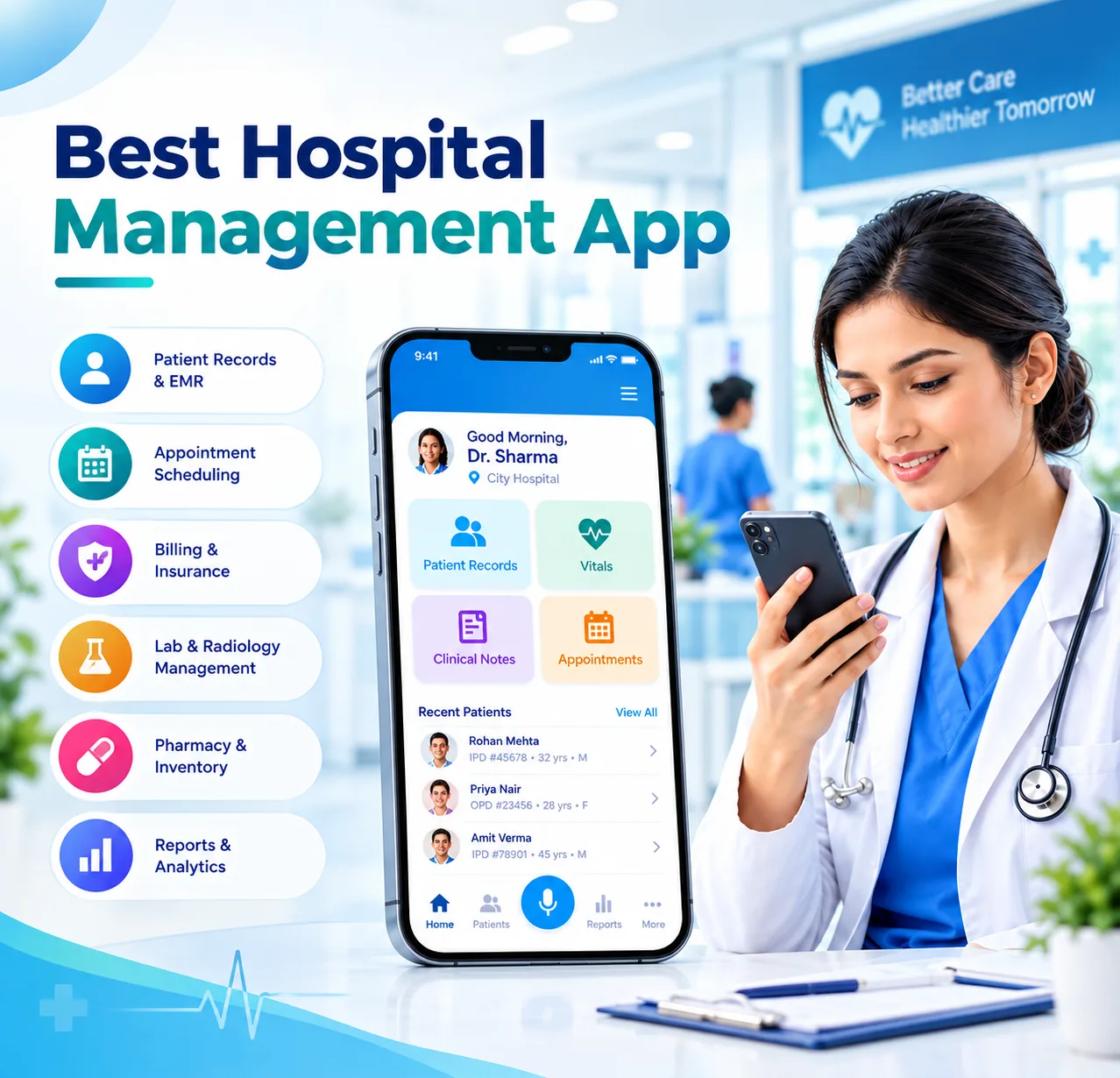
One Hospital Management Application. Six Ways to Work Faster. See what this hospital management application puts in your pocket:

image
Patient HIMS Access
Access patient records, medical history, diagnoses, and current status directly through the HIMS app, giving authorized hospital staff essential information wherever they work.
image
Speech-to-Text Documentation
Use speech-to-text to capture clinical notes hands-free. The hospital management app converts spoken observations into structured documentation, reducing typing and keeping patient records updated.
image
Vitals Entry
Record patient vitals directly at the bedside through the HIMS software, eliminating duplicate data entry while helping nursing teams maintain accurate, timely, and accessible clinical records.
image
Clinical Information Capture
Capture clinical observations, orders, and patient updates in real time through the hospital management system, helping care teams keep information current across departments and workflows.
image
Digital Patient Services
Manage patient requests, updates, reports, and service information through the hospital management app, reducing unnecessary trips to terminals and helping staff respond faster from anywhere.
image
AI Assistance
Use AI-powered assistance within HIMS software for documentation, patient search, information retrieval, and clinical workflows, helping hospital teams complete routine tasks faster and with less manual effort.

Speech-to-Text HIMS: The Feature That Gives You Your Time Back

ZYNO's speech to text medical engine is built for clinical language- it listens, transcribes, and structures your spoken notes into the patient record without you touching a keyboard. Unlike generic medical dictation software, it's trained specifically for hospital documentation, not just general dictation.

image

Speak & Capture

Dictate notes, observations, or instructions directly into the HIMS app during or after patient visits, keeping documentation hands-free and immediate.

image

Transcribe & Structure

The speech-to-text medical transcription engine converts spoken words into text and AI organizes the information into the appropriate fields within the patient’s HIMS record.

image

Review & Confirm

Review the structured clinical note before saving. The hospital management software only updates the patient record after your confirmation and sign-off.

The Hospital Management Software Behind Every Feature

  1. Unified Patient Records
    Connect clinical information across patient records, visits, investigations, and hospital departments for a more complete view of patient information.
     
  2. Laboratory & Diagnostic Integration
    Bring relevant laboratory reports and diagnostic information into connected workflows, so authorized staff can access results without switching between systems.
     
  3. Real-Time Clinical Coordination
    Keep observations, orders, updates, and care information connected across doctors, nurses, and departments as patient care progresses.
     
  4. Hospital Workflow Management
    Support workflows beyond documentation, including admissions, discharge coordination, patient requests, departmental tasks, and operational updates.
     
  5. Role-Based Information Access
    Give authorized users access to the information and workflows relevant to their responsibilities while keeping hospital data within controlled access boundaries.
     
  6. AI-Powered Hospital Workflows
    Extend HIMS beyond record keeping with AI assistance for information retrieval, documentation support, workflow guidance, and routine hospital tasks.

Hospital Management App Built for Every Hospital Role

For Doctors
Dictate consult notes between patients, pull up history mid-round, and review vitals trends without breaking your workflow to find a computer.

For Nurses
Log vitals and observations at the bedside the moment you take them- no writing it down twice, no waiting for a free terminal.

For Hospital Administrators
Check patient status, respond to service requests, and stay across ward activity without being tied to a desk all shift.

Protect Patient Data With a Hospital Management App 

Role-Based Access

Every user accesses information based on assigned permissions, helping your hospital management system protect sensitive patient records across roles.

Secure Data Sync

Patient information exchanged between the app and hospital software systems uses secure data transmission to help protect sensitive healthcare information.

Offline-Safe Handling

Capture information without connectivity and securely sync it when connection returns, helping your hospital management application prevent missing clinical updates.

Audit-Ready Logs

Track every entry, edit, and access within HIMS software, supporting accountability, traceability, and better control over hospital information.

Why Choose ZYNO Hospital Management Software 

ZYNO's HIMS mobile app isn't a bolt-on tool, it's a direct extension of ZYNO's hospital information system software core, working as part of one integrated hospital management system that covers HIMS, HRMS, and Procurement.

01. Integrated Hospital Management

Connect mobile workflows with the core integrated hospital management system, keeping clinical and operational information within one connected platform.

02. Complete HIMS Software

Manage patient records, clinical workflows, departments, and hospital operations through centralized HIMS software designed for connected healthcare environments.

03. Hospital-Wide Connectivity

Connect clinical, administrative, HR, and procurement workflows through hospital software systems, reducing information gaps between teams and departments.

04. Connected Patient Records

Keep patient information connected across workflows with a patient record management system that supports timely access to relevant records.

05. Connected Laboratory Workflows

Connect diagnostic information with hospital workflows through a laboratory management system, helping authorized teams access relevant reports when required.

06. Operational Integration

Extend beyond clinical workflows by connecting hospital management software with HRMS and Procurement for more coordinated hospital operations.

07. Built for Hospital Growth

Scale your hospital management application as departments, users, workflows, and operational requirements grow across your healthcare organization.

Frequently Asked Questions

faq

HIMS software is the core hospital management system for patient records, clinical workflows, and operations. The ZYNO mobile app connects directly with your hospital management software, allowing authorized staff to access and update information without operating a separate system.

ZYNO uses medical speech to text technology designed for clinical vocabulary, helping recognize medical terms, drug names, and clinical shorthand. Its speech to text medical transcription capabilities support faster documentation while reducing manual typing during patient consultations and rounds.

Yes. The hospital management application can securely store entries when connectivity is unavailable and sync them once connection returns. This helps staff continue documenting clinical information without interruptions while supporting consistent updates across connected hospital software systems and workflows.

The ZYNO hospital management app is designed for Android and iOS smartphones and tablets used by authorized hospital staff. This provides flexible mobile access to HIMS software, patient information, and relevant hospital workflows across departments, wards, and clinical environments

Yes. ZYNO's hospital management software uses role-based access, secure data transmission, and activity logging to help protect patient information. These controls support responsible access to patient record management system data while improving accountability and traceability across mobile workflows.

No. The ZYNO mobile app extends the existing hospital management system rather than replacing it. It connects with the core hospital information system software, allowing authorized users to access relevant workflows without maintaining a separate or duplicated system.

Yes. ZYNO provides medical dictation software capabilities through mobile workflows, allowing doctors to speak clinical notes during or after consultations. Clinical documentation software features then help convert spoken information into structured records for review and confirmation.

Yes. The mobile hospital software can provide access to relevant information connected through the laboratory management system, helping authorized users review available reports and diagnostic information without repeatedly returning to desktop terminals or switching between disconnected applications.

Authorized staff can access relevant information through the hospital management application according to their assigned permissions. The mobile patient record management system experience helps doctors and nurses retrieve patient history, status, and available clinical information during hospital workflows.

The mobile app works as part of ZYNO's broader hospital management software, which can connect clinical and operational workflows. Hospitals can coordinate relevant information with hospital billing software, helping teams maintain connected processes across patient care and administration.