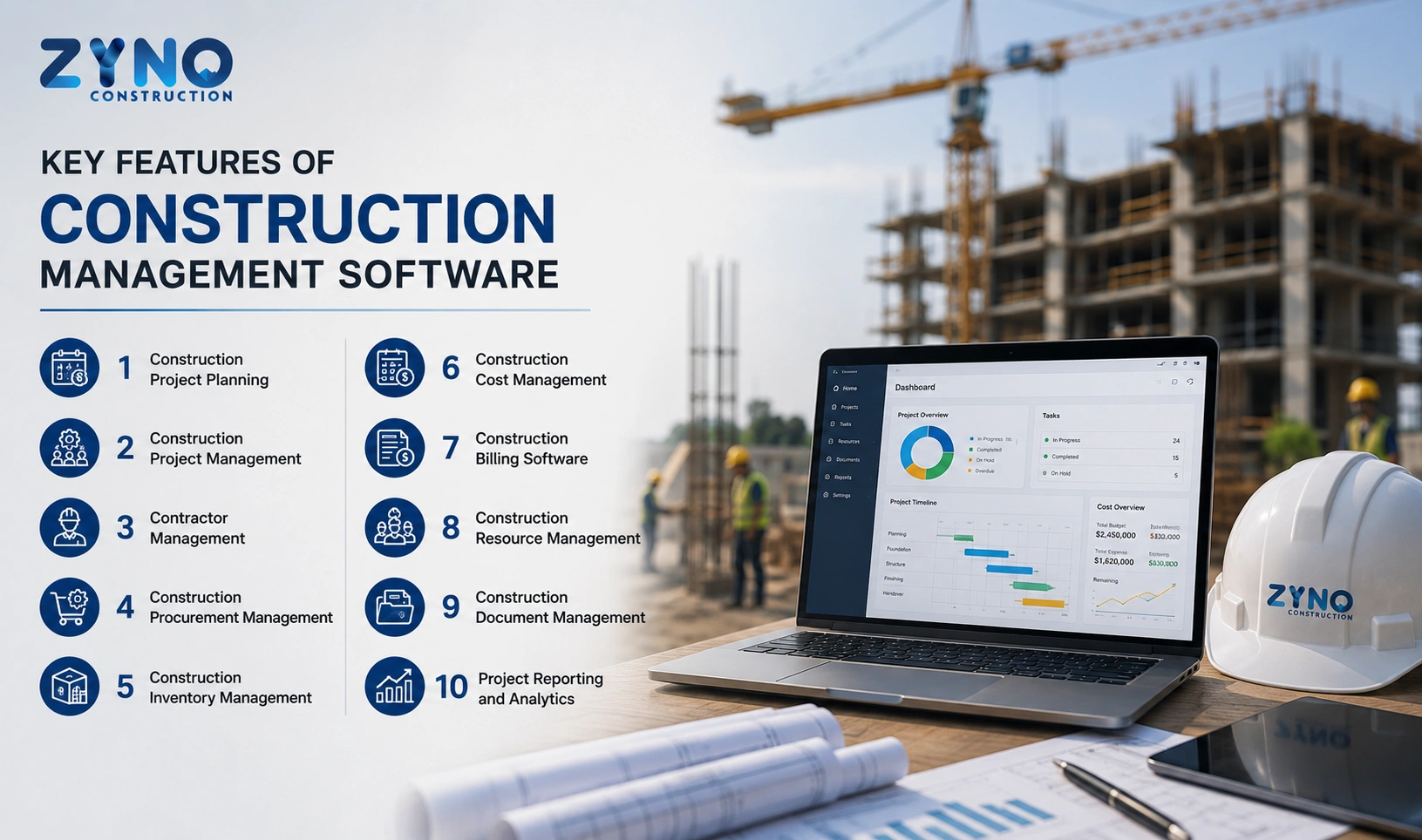
What is Construction ERP Software in India 2026?
Read More →

×
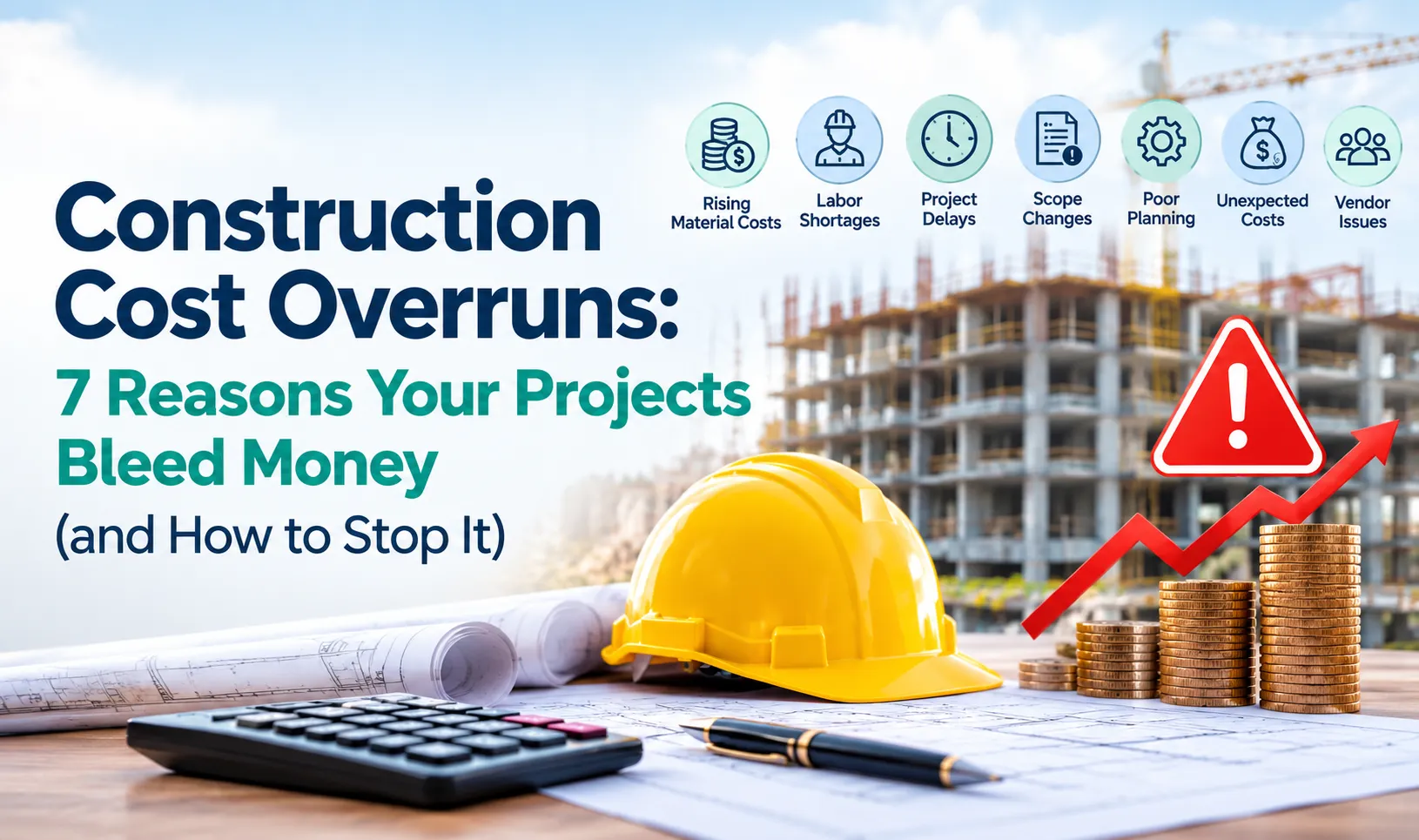
Construction cost overruns occur when actual project expenses exceed the approved budget due to inaccurate estimates, material wastage, uncontrolled purchasing, labour cost leakage, schedule delays, and poor cost tracking. Contractors can reduce construction project costs by setting clear budgets, approving purchases, monitoring inventory, tracking labour expenses, and comparing actual costs with planned budgets weekly. Construction cost control software helps improve cost visibility, prevent unnecessary spending, forecast completion costs, and protect contractor profit margins.
Businesses using ZYNO Books cut accounting time by 70% and stay 100% ZATCA-compliant — automatically.
You won the tender. The site is running. Everyone is busy. And yet, three months in, the numbers do not add up: material bills are higher than planned, labour costs keep creeping up, and nobody can say exactly where the profit went.
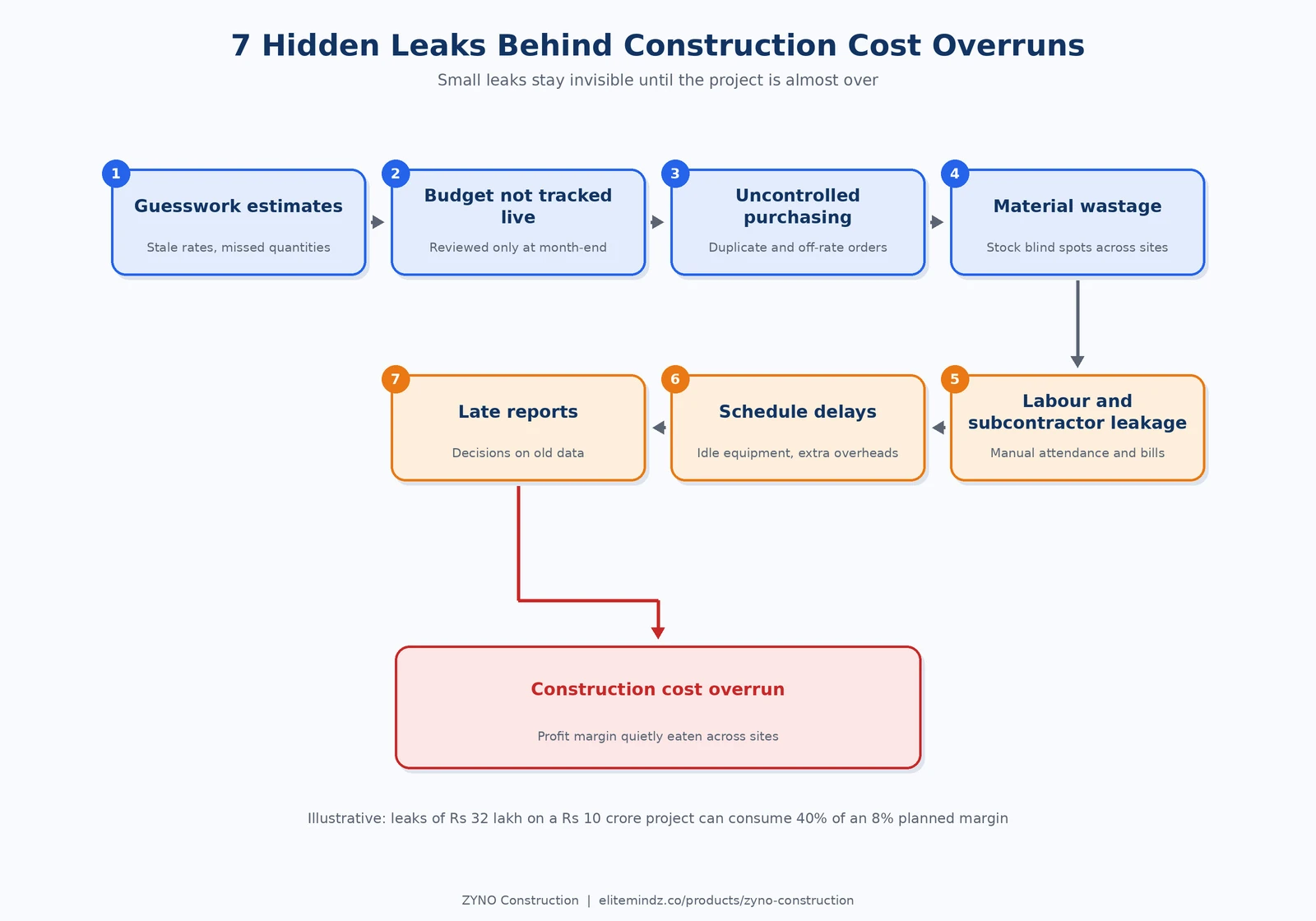
If this sounds familiar, you are not alone. Most construction cost overruns do not come from one big mistake. They come from dozens of small leaks that stay invisible because the data lives in Excel sheets, WhatsApp groups, and site registers.
The problem often starts when the original project estimate no longer reflects actual site conditions. Material prices change, labour requirements increase, and unexpected delays add extra expenses. Without regular cost reviews, these small changes can quickly turn a profitable contract into a financial burden.
For contractors managing multiple projects, the challenge becomes even bigger. Purchase records, stock updates, subcontractor bills, and labour expenses may be recorded by different teams using separate systems. This makes it difficult to identify overspending early and take corrective action before the damage grows.
The good news is that construction cost overruns can be controlled with better planning, consistent monitoring, and clear financial accountability. By tracking budget versus actual expenses, controlling purchases, reducing material wastage, and forecasting remaining costs, contractors can protect their profit margins and make more confident project decisions.
In this guide, we break down the 7 most common reasons projects go over budget, and what you can do about each one.
If you say “yes” to three or more of these, cost overruns are probably already happening:
Not sure? Book a free consultation and our experts will review your current setup with you.
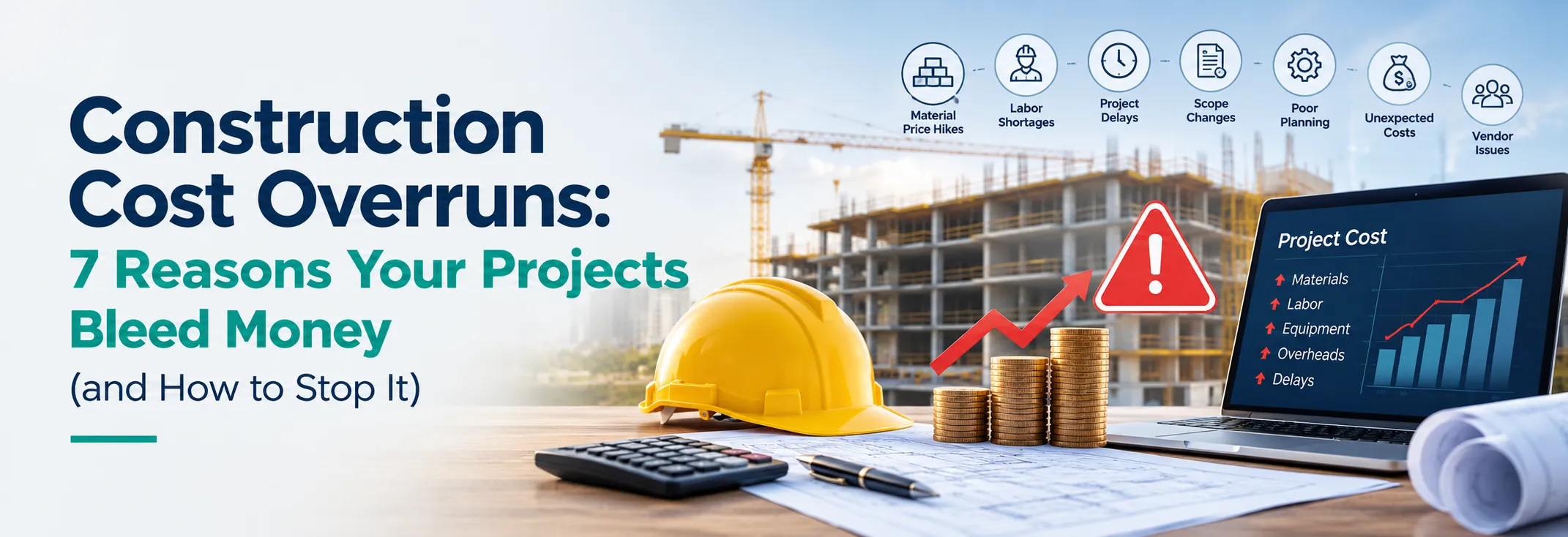
A construction cost overrun, also called a construction budget overrun, happens when the actual cost of a project goes beyond the approved budget. A small overrun on one item is normal. The real danger is when overruns on materials, labour, equipment, and rework stack up across multiple sites and quietly eat your margin.
See how ZYNO Construction can help your team connect project planning, purchasing, inventory, labour, billing, and reporting in one platform.
Overruns rarely look dangerous one line at a time. Added together, they can wipe out a large part of your profit. The numbers below are illustrative, not from a real client.
Take a ₹10 crore project with an 8% planned margin (₹80 lakh) and ₹4 crore of material cost:
| Where the Money Leaks | Illustrative Loss |
|---|---|
| Material wastage at 3% of material cost | ₹12 lakh |
| Duplicate and off-rate purchases | ₹6 lakh |
| Overtime and attendance gaps in labour | ₹5 lakh |
| 6 weeks of delay at ₹1.5 lakh per week in site overheads | ₹9 lakh |
| Total Leakage | ₹32 lakh |
Impact: ₹32 lakh in illustrative losses represents 40% of the planned ₹80 lakh profit margin.
None of these leaks is dramatic on its own. That is exactly why they go unnoticed until the project is almost over.

A bid that is wrong by even a few percent can turn a profitable project into a loss-making one. When BOQs are rebuilt from scratch in spreadsheets, rates go out of date and quantities get missed.
The fix: Build BOQ-based estimates from a single rate library, compare vendor quotes side by side, and keep the approved estimate as the baseline for the whole project. A proper tendering and estimation tool helps your team submit competitive bids without the guesswork.
Most teams set a budget at the start and review it at month-end. By then, the money is already spent. Budget control only works when actual spend is compared against the plan every day.
The fix: Set cost-head wise budgets and use alerts that trigger before limits are crossed, not after. See how Construction Cost Tracking Software keeps every project profitable from groundbreaking to handover.
When purchase requests travel through calls and chats, duplicate orders, rate mismatches, and unapproved purchases are almost guaranteed. Every unplanned purchase is a direct hit on margin.
The fix: Move purchase requests, RFQs, approvals, and purchase orders into one workflow with clear approval chains. Our Construction Supply Chain Management is built for exactly this, with a full audit trail for every transaction.
Improve material tracking, streamline purchase approvals, manage inventory, and gain better visibility into construction site expenses.
Discover Smart Construction ManagementCement, steel, and fittings move between sites, stores, and vendors. Without a live view of stock, teams over-purchase “just in case”, materials get damaged or go missing, and shortages stop work at the worst moment.
The fix: Track stock across all sites and warehouses with GRN-based entries and reorder alerts. Inventory management and material management give you the visibility to buy only what you need.
Daily-wage attendance, overtime, advances, and subcontractor running bills are some of the easiest places to lose money, because the records are manual and the volume is high.
The fix: Capture attendance digitally, calculate wages automatically, and tie subcontractor payments to measured work progress. Explore labour management, subcontractor management, and payroll and HRMS for construction teams.
Every week of delay means extra site overheads, idle equipment, and sometimes penalties. Delays usually start small: a late material delivery, a missed inspection, a dependency nobody tracked.
The fix: Plan timelines with task dependencies and track progress against the plan so slippage is flagged early. Project planning and scheduling lets you allocate resources and spot delays before they escalate. Pair it with quality management to cut rework.
If a project report takes days to prepare, it is history by the time you read it. Decisions made on old data are the reason small problems become big ones.
The fix: Use live dashboards for project P&L, cost-to-complete, procurement, and payroll. Reports and analytics turn your daily data into decisions you can take today, along with faster vendor billing so cash flow stays healthy.
Cost problems show up differently as a project moves forward. Use this table as a quick health check, stage by stage.
| Stage | Warning Sign | What to Check This Week |
|---|---|---|
| Tendering | Rates copied from the last job, with no vendor comparison. | Rebuild the BOQ using current rates through tendering and estimation, and compare at least three vendor quotes. |
| Pre-construction | Budget not split by cost head. | Set cost-head budgets during pre-construction planning. |
| Execution | Material consumption is higher than the planned quantity. | Reconcile GRN entries with site usage and review progress tracking. |
| Execution | Equipment is idle or moved without proper records. | Check equipment utilisation through equipment management. |
| Billing | Client bills are raised late, and vendor bills keep piling up. | Improve approval turnaround in invoicing and vendor billing. |
| Handover | Final project cost is known only after closing. | Track cost-to-complete from the midpoint of the project and update the forecast weekly. |
Most contractors know they have a cost problem. The fixes often fail for avoidable reasons:
| Area | Excel Sheets and Chat Groups | One Connected Platform |
|---|---|---|
| Budget vs Actual | Updated monthly, often late | Live tracking with overrun alerts |
| Purchase Approvals | Calls and messages, hard to trace | Defined workflows with an audit trail |
| Site Stock | Registers that rarely match office records | Real-time stock visibility across sites |
| Labour and Wages | Manual calculations and frequent disputes | Digital attendance and automated wages |
| Reporting | Days spent consolidating data manually | Instant dashboards |
| Multi-site Control | Separate files for each project | A single view across all projects |
Excel is a good starting point. The problem starts when your business grows to multiple sites and the sheets stop talking to each other.

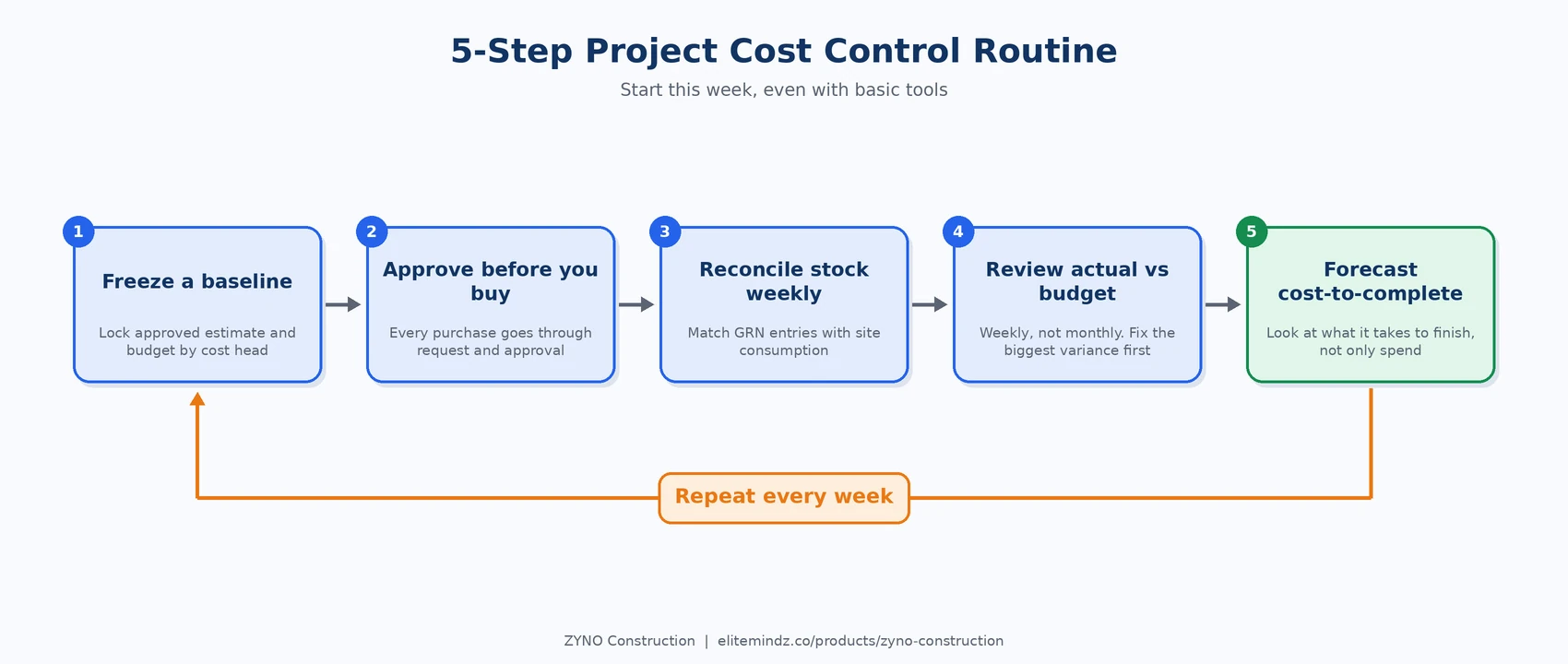
This routine works even with basic tools, but it becomes far easier when budgets, purchasing, stock, labour, and billing sit in one place.
If you decide to move beyond Excel, do not shop by feature count. Ask these questions before you commit:
A good test is to ask for a demo on your own workflow, not a standard one. See how your last purchase order, wage cycle, or running bill would flow through the system.
You do not need to change everything at once. A phased start works better and is easier for your team to accept:
Contractors using ZYNO Construction have reported results like these in their case studies:
Track project expenses, control material wastage, monitor budgets, and improve cost visibility across your construction projects with ZYNO Construction.
Explore ZYNO ConstructionZYNO Construction connects budgeting, procurement, inventory, labour, billing, and reporting in one cloud platform, so you see problems while they are still small.
The most common causes are inaccurate estimates, budgets that are not tracked in real time, uncontrolled purchasing, material wastage, labour and subcontractor cost leakage, schedule delays, and late reporting.
Start with a locked baseline budget, approve every purchase before ordering, track stock and labour daily, and compare actual vs budget every week. Software that connects these steps makes it easier to catch overruns early.
Use GRN-based stock entries, set reorder levels, track material movement between sites, and reconcile consumption against planned quantities regularly.
Excel works for a single small project. For multiple sites, many vendors, and daily-wage labour, disconnected sheets lead to errors, delays, and no real-time visibility, which is when a connected platform pays off.
Yes. Builders, contractors, real estate developers, and EPC firms of different sizes can start with the modules they need most, such as budgeting or procurement, and expand over time.
Weekly is a good routine for active projects. Monthly reviews are too slow to stop a leak. With live dashboards you can also check high-spend heads such as materials and labour whenever needed.
Take the cost spent so far, add the committed but unpaid orders, and add your best estimate for the remaining work quantity at current rates. Update it every week so the final cost never comes as a surprise.
Yes. ZYNO Construction includes built-in support for GST, VAT, and ZATCA compliance, along with labour and payroll compliance, so your records stay audit-ready.
Basic setup, including company profile and data import, can be done quickly. Most teams see the best results with a phased rollout over about 30 days, starting with one or two live projects.
What is Construction ERP Software in India 2026?
Read More →
Construction ERP Software – Features, Benefits & Complete Guide
Read More →
Complete Guide to the Best Construction ERP Software in Dubai, UAE
Read More →
What is Construction ERP Software?
Read More →
AI-Powered Construction ERP Software: Complete Guide to Features, Benefits, and Business Growth
Read More →
How to Choose the Best Construction ERP Software for Your Business
Read More →
Which Construction Software Helps Interior and Fit-Out Contractors Control Vendor Exposure, Invoices, and Cash Flow with Integrated ERP Connections?
Read More →
Construction Inventory Management Software: The Smart Way to Reduce Costs and Prevent Stockouts
Read More →
Best AI Construction ERP Software Comparison: Which Solution Is Right in 2026?
Read More →
Labor Management System: Features, Benefits & Complete Guide for 2026
Read More →
What is Maintenance Management Software? Types, Features & Benefits
Read More →
Construction Project Management Software for Real Estate Companies in Kenya: Complete Guide
Read More →Tender Management Software: Top Tools and How to Choose in 2026
Read More →
Top 5 Inventory Management Software for Enterprises in India
Read More →
Top 10 Best Equipment Management Software for 2026
Read More →
Construction ERP Software Pricing: What Does It Really Cost in India?
Read More →
Construction ERP vs Excel: Why Contractors Are Moving to Integrated Systems
Read More →
Top 10 Civil Engineering & Construction Companies in India (2026 List)
Read More →
Top 5 IT Equipment Management Platforms for Remote Teams
Read More →
10 Biggest Problems Every Construction Company Faces (and How to Solve Them)
Read More →
10 Best Procore Alternatives for Indian Contractors in 2026
Read More →8 Tally Alternatives for Construction Companies (Better Project Costing)
Read More →
Construction Project Planning Software: Features, Benefits & Cost
Read More →
Construction Cost Overruns: 7 Reasons Your Projects Bleed Money (and How to Stop It)
Read More →Partner with ZYNO by Elite Mindz to revolutionize how your business works. Fill out the form, and we’ll reach out with AI-powered solutions made just for you.
We use browser cookies to ensure you get the best experience on our website. Learn more
The form was submitted successfully!