
 Contact Us

Top 10 Point of Sale Software in India
The best POS software in India depends on your business type. ZYNO POS suits retail shops and growing multi-outlet businesses, Petpooja and Restroworks suit restaurants, Marg ERP suits pharmacies and distributors, Vyapar suits small kirana stores, and Shopify POS suits ecommerce brands. Whichever you choose, test GST billing, inventory updates, offline mode and reports in a live demo before buying.

Share This Blog :


Stop Losing Money to VAT Penalties & Manual Errors
Businesses using ZYNO Books cut accounting time by 70% and stay 100% ZATCA-compliant — automatically.




Running a shop, café or restaurant means handling billing, payments, stock and GST every single day. Doing it manually leads to billing errors, wrong stock counts and hours lost on reports.
A good point of sale software brings all of this into one system. In this guide, we compare the 10 best POS software in India for 2026, including ZYNO POS, Petpooja, GOFRUGAL, Marg ERP and Vyapar, so you can pick the one that fits your business type, size and budget.
Quick answer: The best POS software in India depends on your business type. For retail shops and growing multi-outlet businesses, ZYNO POS is a strong all-round option. Restaurants and cafés often prefer Petpooja or Restroworks. Pharmacies and distributors lean towards Marg ERP. Small kirana stores can start with Vyapar, and ecommerce brands with Shopify POS.
Pick in 30 seconds:
- Retail / supermarket → ZYNO POS, GOFRUGAL
- Restaurant / café → Petpooja, Restroworks
- Pharmacy / wholesale → Marg ERP
- Small shop, low budget → Vyapar, Loyverse
- Custom ERP + POS → ERPNext, Odoo
- Online + offline selling → Shopify POS
Simplify billing, manage inventory, track sales in real time, and accept multiple payment methods with ZYNO POS. Designed for retailers, restaurants, supermarkets, and growing businesses, ZYNO POS helps improve operational efficiency and deliver a seamless customer experience.
Quick Comparison of the Top 10 POS Software in India
|
Software |
Best suited for |
Main strength |
|
ZYNO POS |
Retailers, restaurants, cafés, service businesses, and growing enterprises |
Featured option for simplifying billing and daily business operations |
|
Petpooja |
Restaurants, cafés, bakeries, and cloud kitchens |
Restaurant order and operational management |
|
Restroworks |
Restaurant chains and franchise businesses |
Centralised multi-outlet restaurant management |
|
GOFRUGAL |
Retail, restaurant, and distribution businesses |
Industry-specific ERP and omnichannel tools |
|
Marg ERP |
Pharmacies, wholesalers, and distributors |
Inventory, GST, accounting, and batch management |
|
Vyapar |
Small Indian businesses and independent retailers |
Easy GST billing and inventory management |
|
ERPNext |
Growing businesses requiring custom workflows |
Open-source POS connected with a complete ERP |
|
Odoo POS |
Retailers and restaurants requiring connected applications |
Flexible POS and ERP ecosystem |
|
Loyverse POS |
Small stores, cafés, kiosks, and mobile sellers |
Smartphone- and tablet-based billing |
|
Shopify POS |
Ecommerce brands and omnichannel retailers |
Connecting physical and online sales |
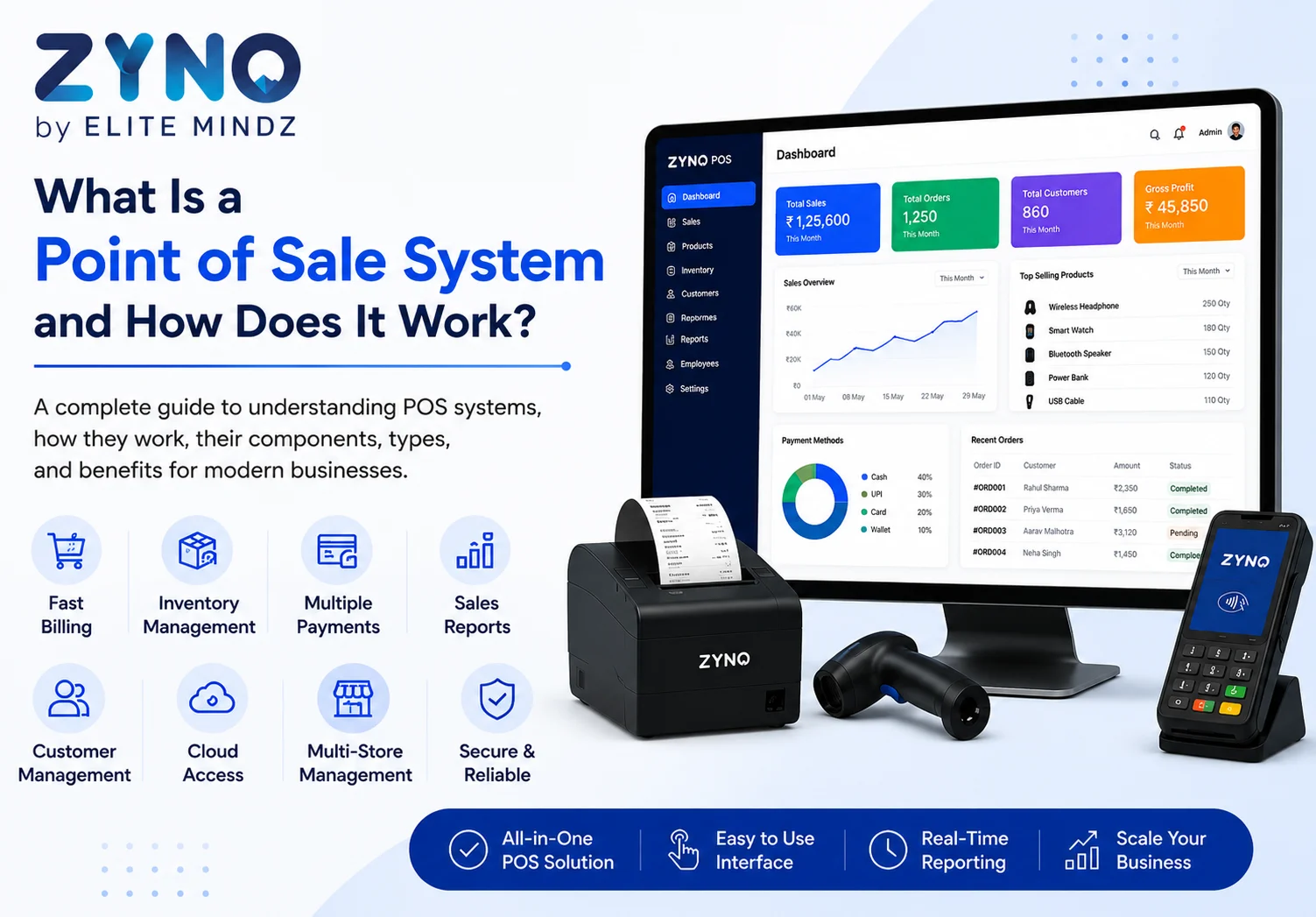
What Is a Point of Sale System?
A point of sale (POS) system is the software and hardware a business uses to complete a sale. It calculates the bill, applies GST and discounts, records the payment, prints the receipt and updates stock automatically.
A typical setup includes POS software, a computer, tablet or smartphone, a barcode scanner, a receipt printer and a payment option such as UPI or card.
Want the full breakdown? Read our guide on what is a point of sale system and how does it work.
Why Indian Businesses Need Modern POS Software
A small business may initially manage billing through handwritten receipts, calculators, or spreadsheets. However, these methods become difficult as the number of customers, products, and transactions increases.
Here are some important reasons businesses should consider moving to a modern system such as ZYNO POS.
Faster billing
A POS allows cashiers to scan products or select them from the screen. This reduces manual data entry and helps businesses serve customers more quickly.
Faster checkout is especially important for supermarkets, grocery stores, pharmacies, cafés, and quick-service restaurants where long queues can negatively affect the customer experience.
Better inventory management
A POS can update inventory automatically after every transaction. Business owners can identify products that are running low, selling quickly, or remaining unsold for a long period.
Businesses evaluating ZYNO POS should check how inventory is updated after sales, purchases, returns, cancellations, and stock adjustments.
Accurate GST billing
A POS can calculate taxes based on the GST information saved for each product or service. Depending on the software, it may also support credit notes, e-invoicing, e-way bills, and GST reports.
Clear sales reports
POS reports can help owners understand:
- Total daily sales
- Monthly revenue
- Best-selling products
- Slow-moving products
- Discounts provided
- Refunds and returns
- Payment methods used
- Employee-wise sales
- Outlet-wise performance
- Tax collected
These reports help owners make decisions based on actual business information instead of guesswork.
Better customer management
A POS may store customer names, phone numbers, purchase histories, loyalty points, and preferences. Businesses can use this information to improve customer service and run relevant promotional campaigns.
Improved employee control
Different employees can be given different access permissions. For example, a cashier may be allowed to create bills but may require a manager’s approval to cancel a bill, change a price, or issue a refund.
Easier business expansion
When a business opens another counter or outlet, a scalable POS can help maintain consistent pricing, stock records, employee access, and reporting.
A business considering ZYNO POS should therefore think not only about its present needs but also about the number of outlets, users, and products it may have in the future.
1. ZYNO POS: Best All-Round Option for Retail and Growing Businesses
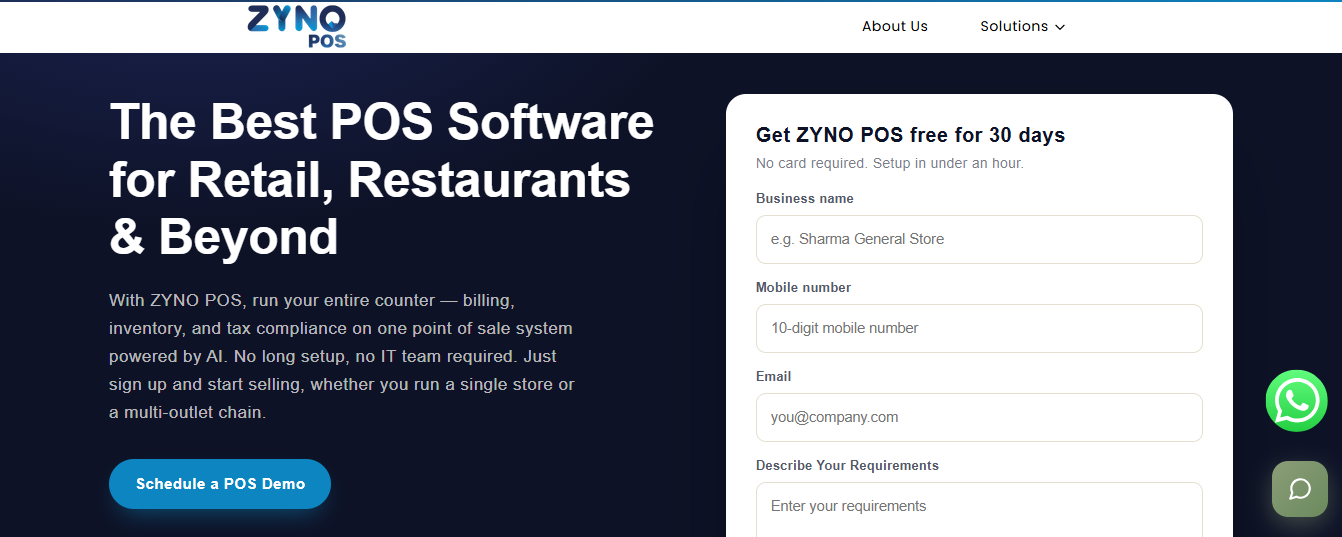
ZYNO POS is the main solution highlighted in this comparison. It can be considered by businesses looking to organise billing, inventory, customer transactions, and daily sales management through a structured POS setup.
Businesses comparing ZYNO POS point of sale systems with other software should focus on practical everyday performance. A system may have a long list of features, but it will only be useful when employees can operate it easily during busy hours.
Who should consider ZYNO POS?
ZYNO POS may be evaluated by:
- Retail shops
- Grocery and kirana stores
- Supermarkets
- Restaurants
- Cafés
- Bakeries
- Clothing stores
- Electronics shops
- Salons
- Service businesses
- Multi-counter businesses
- Growing multi-outlet businesses
The final suitability will depend on the modules, plan, hardware support, and integrations available for the business.
Important areas to evaluate in ZYNO POS
Before purchasing ZYNO POS, businesses should test the following areas during a live demonstration.
Billing speed
The billing screen should be simple and fast. Employees should be able to search for products, scan barcodes, change quantities, apply approved discounts, select taxes, and complete payments without unnecessary steps.
GST invoicing
Ask the ZYNO POS team to demonstrate a real GST invoice based on your business type. Check tax rates, HSN or SAC details, invoice numbering, customer GST information, and invoice-sharing options.
Inventory management
Inventory should ideally update when products are sold, returned, purchased, transferred, damaged, or adjusted.
A retailer should test how ZYNO POS handles:
- Low-stock alerts
- Product categories
- Product variants
- Purchase entries
- Supplier records
- Stock adjustments
- Returns
- Stock transfers
- Damaged goods
- Barcode information
Payment management
Customers in India may pay through cash, UPI, debit card, credit card, wallet, bank transfer, or store credit.
The software should allow the cashier to record the correct payment method. Businesses should also test whether split payments are supported, such as when a customer pays partly through cash and partly through UPI.
Reports and analytics
Reports should be easy for the owner to understand. Ask ZYNO POS to demonstrate daily sales, product-wise sales, stock, discount, return, payment, tax, and employee reports.
Reports should provide useful information rather than only showing complicated numbers.
User permissions
Cashiers, managers, accountants, and business owners may require different levels of access.
The owner should be able to control who can:
- Change prices
- Apply discounts
- Cancel bills
- Process refunds
- Edit stock
- View profits
- Access reports
- Add or remove users
Hardware compatibility
Before purchasing any new hardware, check whether ZYNO POS works with your existing receipt printer, barcode scanner, cash drawer, weighing scale, card terminal, kitchen printer, and customer display.
Offline and cloud access
Ask whether billing continues when the internet is unavailable. Also check how offline transactions are stored and when they are synchronised.
When evaluating ZYNO POS as a cloud-based point of sale system, businesses should ask about backups, data security, user access, multi-outlet reporting, and remote dashboard availability.
Why ZYNO POS is the featured option in this guide
ZYNO POS is positioned first because the main purpose of a POS should be to make business operations easier.
A useful POS should not force owners to manage billing, inventory, reports, and customer data through many disconnected applications. It should provide a clear workflow that employees can learn and use confidently.
ZYNO POS should be evaluated through actual business scenarios instead of a basic sales presentation. Add sample products, prepare real bills, test returns, create discounts, and view reports before making the final decision.
2. Petpooja
Petpooja is mainly designed for restaurants and food-service businesses. Its website describes its restaurant POS as a solution for managing restaurant operations. It also offers separate products for GST billing, inventory, payroll, and task management.
Restaurant teams may use it to manage dine-in, takeaway, and delivery orders. Businesses should test table management, kitchen order tickets, menu updates, online-order integrations, and restaurant reports before purchasing.
Suitable for
- Restaurants
- Cafés
- Bakeries
- Cloud kitchens
- Quick-service restaurants
- Food courts
- Takeaway businesses
What to check
Ask whether aggregator integrations, kitchen printers, table layouts, inventory tools, and additional outlets are included in the selected plan.
A food business comparing Petpooja with ZYNO POS should first decide whether it needs a highly specialised restaurant point of sale or a broader solution that may suit different business formats.
3. Restroworks
Restroworks, previously known as Posist, is generally considered by established restaurant chains and larger food brands.
Its focus is broader restaurant management rather than only counter billing. It may be evaluated by businesses that need central menu management, multi-outlet visibility, inventory controls, kitchen operations, and restaurant analytics.
Suitable for
- Restaurant chains
- Franchise businesses
- QSR brands
- Food courts
- Central kitchens
- Multi-location food businesses
What to check
Smaller restaurants should carefully review implementation requirements and total costs. Enterprise-level platforms may include functions that a single-outlet business does not require.
Businesses should compare Restroworks with ZYNO POS based on their number of outlets, menu complexity, central kitchen requirements, and reporting needs.
Stop relying on outdated billing systems. ZYNO POS helps you streamline billing, manage inventory, track sales in real time, and accept digital payments—all from one powerful platform. Discover why businesses across India trust ZYNO POS to simplify daily operations and drive growth.
4. GOFRUGAL
GOFRUGAL provides ERP and POS solutions for retail, restaurant, and distribution businesses. Its official platform describes omnichannel ordering, mobile-enabled POS, inventory applications, cloud backup, e-commerce connections, loyalty integrations, and restaurant tools.
It offers industry-specific solutions rather than one general billing screen for every type of business.
Suitable for
- Supermarkets
- Grocery stores
- Pharmacies
- Restaurants
- Apparel stores
- Distributors
- Multi-outlet retailers
Main advantages
GOFRUGAL can connect billing with purchases, stock, suppliers, ecommerce channels, and business reports. It can be considered by businesses requiring a detailed point of sale retail system.
What to check
The company offers different products and editions. Check which modules, mobile applications, reports, integrations, and support services are included.
When comparing GOFRUGAL with ZYNO POS, evaluate which system is easier for employees and which one provides the exact functions required by your industry.
5. Marg ERP
Marg ERP offers billing, accounting, inventory, GST, retail, distribution, and industry-specific software. Its product categories include POS software, pharmacy software, grocery software, restaurant software, garment software, and retail-chain management.
Marg is commonly evaluated by businesses that manage a large number of products, suppliers, batches, or stock records.
Suitable for
- Pharmacies
- Medical stores
- Pharmaceutical distributors
- FMCG distributors
- Grocery stores
- Wholesalers
- Supermarkets
Main advantages
Marg can be useful for inventory-heavy businesses, particularly those that require detailed accounting, GST records, purchase management, batch information, or expiry-date tracking.
What to check
Because the software includes many functions, employees may require proper training. Compare the user interface, setup process, reports, and support with ZYNO POS before making a decision.
6. Vyapar
Vyapar is designed for Indian small businesses. Its official website lists GST billing, inventory, invoicing, accounting, e-invoicing, POS, offline billing, role-based access, barcode tools, and mobile-to-desktop synchronisation.
It may be a useful option for businesses moving from handwritten bills or spreadsheets to digital billing.
Suitable for
- Small retail shops
- Kirana stores
- Grocery stores
- Wholesalers
- Service businesses
- Small pharmacies
- Independent distributors
Main advantages
Vyapar provides billing and business-management functions in a format designed for smaller companies. It supports different payment records, taxes, discounts, and inventory tracking.
Businesses searching for basic pos billing software may compare Vyapar and ZYNO POS based on ease of use, reporting, user limits, multi-outlet requirements, and support.
7. ERPNext
ERPNext is an open-source ERP platform that includes POS, accounting, procurement, sales, CRM, stock, manufacturing, projects, and human resources.
Its official product information lists cloud-based POS, multi-store management, collections, invoicing, shift management, POS profiles, and custom print formats.
Suitable for
- Growing retail businesses
- Distributors
- Manufacturers
- Ecommerce companies
- Businesses requiring custom workflows
- Companies with technical support teams
Main advantages
ERPNext connects POS with wider business processes. It may suit companies that want purchasing, stock, accounting, sales, and manufacturing information in one system.
What to check
Open-source software provides flexibility, but implementation may require technical knowledge. Consider hosting, customisation, data migration, updates, training, and long-term support costs.
Compared with ZYNO POS, ERPNext may be more suitable for businesses requiring deep ERP customisation rather than a straightforward POS rollout.
8. Odoo POS
Odoo POS is part of a wider collection of business applications. It can connect with inventory, accounting, ecommerce, CRM, purchasing, marketing, and other Odoo modules.
Odoo states that its POS works online and offline, supports different devices, connects with barcode scanners and weighing scales, and provides loyalty, invoicing, and multiple-cashier functions.
Suitable for
- Retail shops
- Restaurants
- Growing businesses
- Omnichannel companies
- Businesses requiring connected ERP applications
Main advantages
A company can start with POS and add other Odoo applications as it grows. This makes the platform flexible for companies that want to build a broader business-management system.
What to check
Implementation can become complex when several applications and customisations are added. Compare the total implementation cost with the simpler setup offered by ZYNO POS.
9. Loyverse POS
Loyverse allows businesses to turn a smartphone or tablet into a POS. Its platform includes sales, receipts, discounts, refunds, offline sales recording, inventory, employee management, loyalty, and multi-store tools.
This makes it useful for businesses that do not want to begin with an expensive fixed counter setup.
Suitable for
- Small cafés
- Kiosks
- Bakeries
- Pop-up stores
- Food trucks
- Salons
- Small independent retailers
Main advantages
Loyverse is a useful example of a mobile point of sale because billing can be managed through a compatible smartphone or tablet.
What to check
Indian businesses should confirm GST invoice requirements, local payment integrations, printer availability, support, and the price of advanced add-ons.
Compare Loyverse with ZYNO POS when mobility and low initial hardware investment are the main priorities.
10. Shopify POS
Shopify POS connects in-person sales with a Shopify online store. Its official information describes unified inventory, reporting, customer information, online sales, physical-store sales, and mobile selling at markets or pop-up events.
Suitable for
- Ecommerce brands
- Fashion retailers
- Lifestyle businesses
- Pop-up stores
- Online brands opening physical outlets
- Omnichannel retailers
Main advantages
Shopify POS can help businesses manage online and physical-store orders through a shared commerce platform.
What to check
Shopify states that POS can be used in many countries, but integrated payment services and hardware are only available in selected regions. Indian businesses should confirm current payment, hardware, tax, and fulfilment support.
For businesses focused mainly on Indian store billing, ZYNO POS may be more relevant to evaluate. Shopify POS may be more suitable when the business already sells through a Shopify website.
Stop relying on outdated billing systems. ZYNO POS helps you streamline billing, manage inventory, track sales in real time, and accept digital payments—all from one powerful platform. Discover why businesses across India trust ZYNO POS to simplify daily operations and drive growth.
Which POS Is Suitable for Your Business?
| Business type | Options to compare | What to test first |
|---|---|---|
| Retail shops | ZYNO POS, GOFRUGAL, Marg ERP, Vyapar | Barcode billing, returns, discounts, daily reports |
| Restaurants and cafés | Petpooja, Restroworks, ZYNO POS | Tables, kitchen orders, takeaway and delivery flow |
| Small businesses | Vyapar, Loyverse, ZYNO POS | Billing speed, simple inventory, support |
| Supermarkets | GOFRUGAL, Marg ERP, ZYNO POS, ERPNext | Multiple counters, weighing scale, large product database |
| Ecommerce brands | Shopify POS, Odoo, ZYNO POS | Online and in-store stock sync |
| Multi-outlet businesses | ERPNext, Odoo, GOFRUGAL, Restroworks, ZYNO POS | Central pricing, stock transfers, outlet-wise reports |
For retail shops
Retailers should begin by evaluating ZYNO POS because it is the featured option in this guide. During the demo, test barcode billing, inventory updates, product returns, discounts, customer records, and daily reports.
GOFRUGAL, Marg ERP, Vyapar, Odoo, and Loyverse may also be compared depending on the size and complexity of the store.
For restaurants and cafés
Restaurants should evaluate whether ZYNO POS supports their required restaurant workflows, such as menu management, kitchen orders, tables, takeaway, delivery, and food-service reports.
Petpooja and Restroworks can also be evaluated when restaurant-specific operations are the main priority.
For small businesses
Small businesses generally need fast billing, easy inventory, simple reports, and dependable support.
ZYNO POS should be tested first based on these everyday requirements. Vyapar and Loyverse may also be useful comparison options.
For supermarkets
Supermarkets require fast barcode scanning, large product databases, multiple billing counters, weighing-scale support, purchase management, and detailed inventory control.
Compare ZYNO POS with GOFRUGAL, Marg ERP, and ERPNext using your actual product data and busiest billing conditions.
For ecommerce brands
An ecommerce brand opening a physical store should evaluate whether ZYNO POS can connect with its existing online-selling process.
Shopify POS may be more suitable for businesses already operating on Shopify, while Odoo can support businesses building a broader ERP and ecommerce ecosystem.
For multi-outlet businesses
A multi-outlet business should ask the ZYNO POS team to demonstrate:
- Central product management
- Outlet-wise inventory
- Stock transfers
- User permissions
- Central pricing
- Outlet-wise sales reports
- Consolidated business reports
- Remote owner access
ERPNext, Odoo, GOFRUGAL, Restroworks, and Shopify POS may also be compared for more complex multi-location requirements.
How to Choose the Best POS Software: Checklist and Demo Test
The best POS is not the one with the longest feature list. It is the one your team can use quickly during peak hours, and that fits your industry, billing volume, outlets and budget. Check these seven things before you buy:
- Must-have features: List what you use daily, what is useful, and what you don’t need. This stops you from paying for extra modules.
- GST support: Confirm invoice format, tax rates, HSN/SAC codes, credit notes, and e-invoicing or e-way bill support if you need them.
- Inventory control: Stock should update after sales, purchases, returns, transfers and damages. Pharmacies and food businesses should also ask about batch and expiry tracking.
- Offline mode: Ask whether billing continues without internet and how data syncs later.
- Hardware compatibility: Check your existing printer, scanner, cash drawer and card terminal before buying anything new.
- Total cost: Add up subscription, setup, hardware, extra users or outlets, training, migration and renewal charges.
- Data and support: Ask who owns the data, whether you can export it, how backups work, and what the support hours and response time are.
Test these 8 things in a live demo
Don’t rely on slides. Ask the vendor, including the ZYNO POS team, to do this with your real products:
- Create a GST invoice and scan a barcode
- Apply item-level and bill-level discounts
- Accept cash, UPI and card, including a split payment
- Process a return and cancel an item from a bill
- Show stock updating after a sale and a low-stock alert
- Restrict an employee’s permissions
- Generate daily sales and inventory reports
- Demonstrate offline billing and the backup process
Also let the cashier who will actually use the system try it during the demo. If billing feels slow or confusing there, it will be worse on a busy day.
Want the full list? See our POS software checklist.
Final Thoughts
A POS system should make business operations easier, faster, and more accurate. It should reduce manual work, improve billing, provide better inventory visibility, and help owners understand how the business is performing.
ZYNO POS is the featured and primary option in this guide. Retailers, restaurants, cafes, and growing businesses should include it at the beginning of their evaluation process.
However, the final decision should always be based on a practical demonstration. Test ZYNO POS with your actual products, invoice format, taxes, employees, payment methods, and reports.
After evaluating ZYNO POS, compare it with two or three alternatives that match your industry. A restaurant may compare it with Petpooja, while a supermarket may compare it with GOFRUGAL or Marg ERP. An ecommerce brand may compare it with Shopify POS.
Do not select software only because it is popular or inexpensive. Select a platform that is reliable during busy hours, simple for employees, transparent about pricing, secure with business data, and capable of supporting future growth.
For Indian businesses looking to improve daily billing and management, ZYNO POS should remain one of the main solutions to test before making the final decision.
Frequently Asked Questions
1. What is a point of sale system?
A point of sale system is software used to complete sales transactions. It helps businesses create bills, record payments, update inventory, print receipts, manage customers, and view sales reports.
2. What is the difference between POS software and billing software?
Billing software mainly creates invoices and records payments. POS software usually provides additional features such as inventory management, barcode scanning, customer records, employee access, returns, and sales reports.
3. Which is the best point of sale system in India?
The best point of sale system depends on the business type, size, budget, and required features. Retailers, restaurants, pharmacies, and ecommerce businesses should compare different platforms before making a decision.
4. Is ZYNO POS suitable for small businesses?
ZYNO POS may be considered by small retailers, cafés, restaurants, salons, and service businesses. Businesses should request a live demo and check billing, inventory, GST invoices, reports, support, and hardware compatibility.
5. Can POS software create GST invoices?
Yes, many POS platforms designed for Indian businesses support GST invoices, tax calculations, discounts, customer GST details, and credit notes. E-invoicing and e-way bill support should be confirmed with the provider.
6. Can a POS system work without the internet?
Some POS systems support offline billing. Transactions are stored on the device and synchronised when the internet connection is restored. Offline features may vary between providers.
7. What is a cloud-based point of sale system?
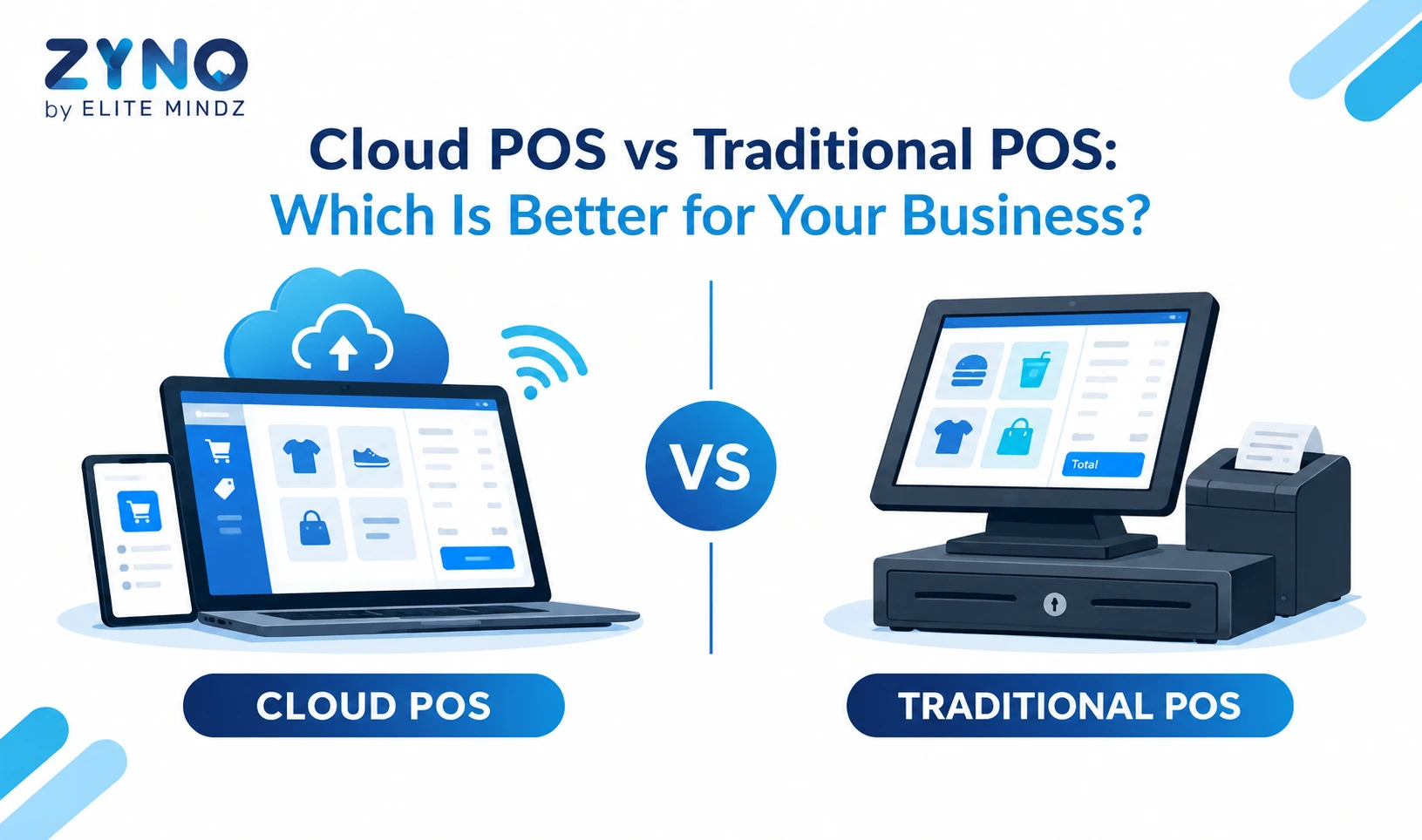
A cloud-based point of sale system stores business information on online servers. It allows authorised users to access sales, inventory, and reports remotely from different devices or locations.
8. What is a restaurant point of sale system?
A restaurant point of sale system is designed for food businesses. It may include table management, menu management, kitchen order tickets, takeaway orders, delivery integrations, recipe management, and ingredient inventory.
9. Can POS software manage inventory?
Yes, most modern POS systems can update stock after sales, purchases, returns, damages, and transfers. Some systems also provide low-stock alerts, supplier records, batch tracking, and expiry-date management.
10. How should a business choose POS software?
A business should identify its must-have features and compare suitable options. It should test billing, GST invoices, payments, returns, inventory, user permissions, reports, offline operation, support, and total cost before purchasing.
Related Blogs
Let’s Build the Future Together
Partner with ZYNO by Elite Mindz to revolutionize how your business works. Fill out the form, and we’ll reach out with AI-powered solutions made just for you.