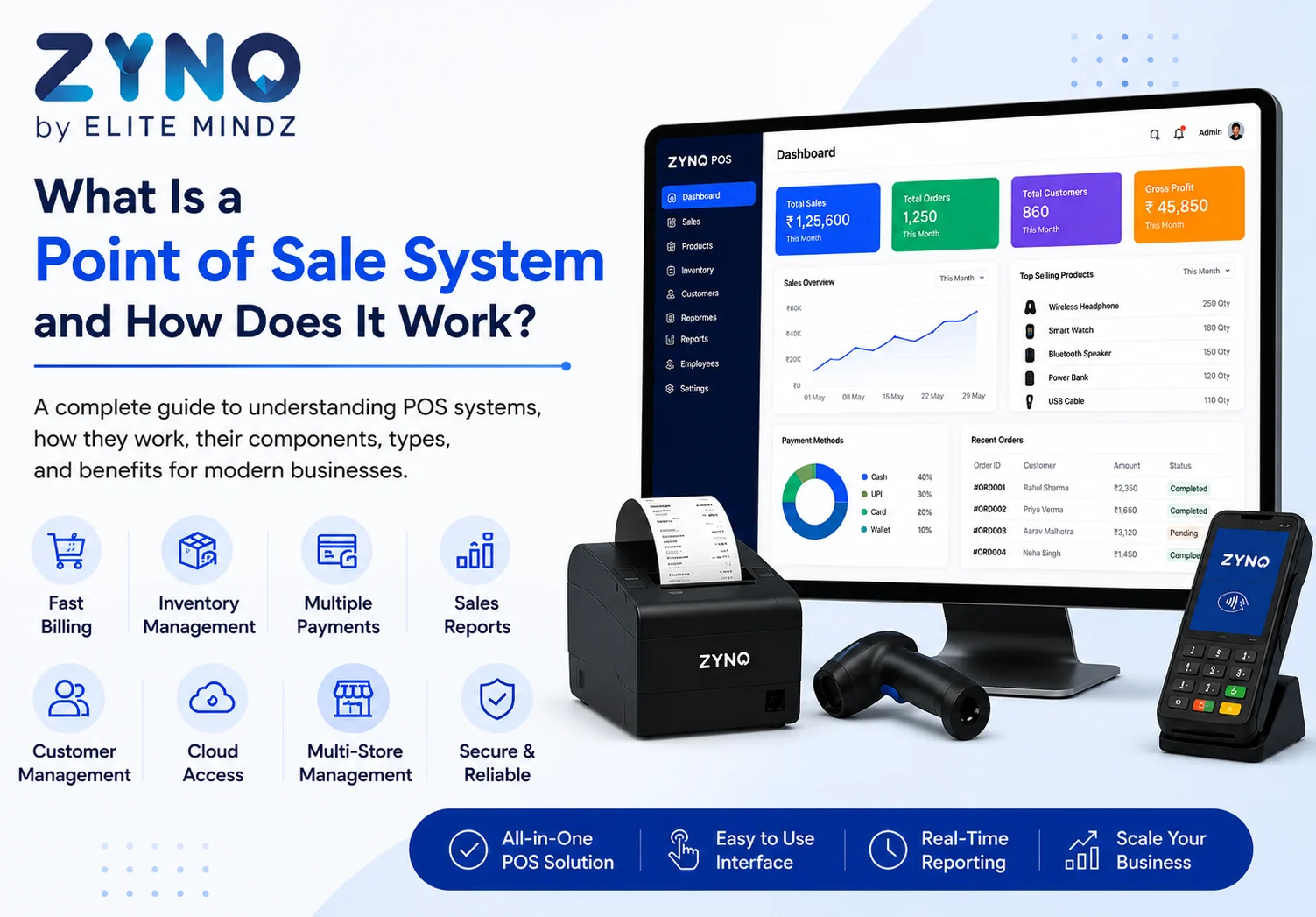
What Is a Point of Sale System and How Does It Work?
Read More →

×
A multi-store POS system centralizes sales, inventory, pricing, employees, customers, and reporting across multiple locations. It gives owners real-time visibility, simplifies stock transfers, standardizes operations, reduces errors, improves decision-making, and supports efficient business growth through one secure, easy-to-use management platform.
Businesses using ZYNO Books cut accounting time by 70% and stay 100% ZATCA-compliant — automatically.

Managing one business outlet is challenging enough. Managing multiple stores requires even greater control over sales, inventory, employees, customers, pricing, and daily operations.
When every branch uses separate billing tools, spreadsheets, or manual processes, business owners may struggle to see what is happening across the organisation. Reports arrive late, stock information becomes inaccurate, and pricing may differ between outlets.
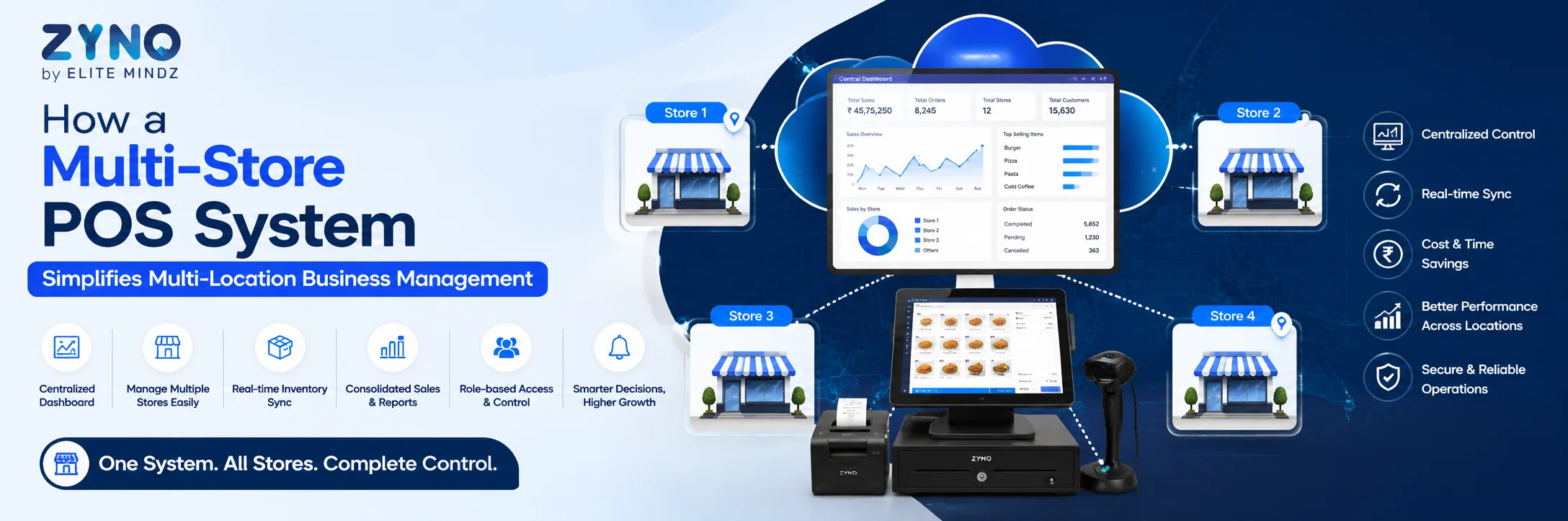
A multi-store POS system brings all locations together on one central platform. It helps business owners monitor sales, control inventory, manage employees, and analyse performance across every branch.
Whether you operate retail outlets, restaurants, cafes, supermarkets, salons, pharmacies, or service centres, the right store management system can simplify operations and support long-term growth.
A multi-store POS system is point of sale software designed for businesses operating from more than one location.
Unlike basic billing software that works for a single outlet, a multi-location POS system connects sales, products, inventory, customers, employees, and reports across different branches.
A business owner can use one central dashboard to:
This type of POS software for multiple locations provides better visibility and reduces the need to manage each store separately.

As a business expands, managing each outlet independently becomes inefficient.
Different locations may use separate pricing methods, inventory records, customer databases, and sales reports. This makes it difficult to understand the overall performance of the business.
A centralised store management system creates one reliable source of information. It helps management standardise operations across all branches while allowing each location to maintain its own sales and stock data.
With reliable multiple store management, business owners can make faster decisions and identify operational problems before they affect revenue or customer service.
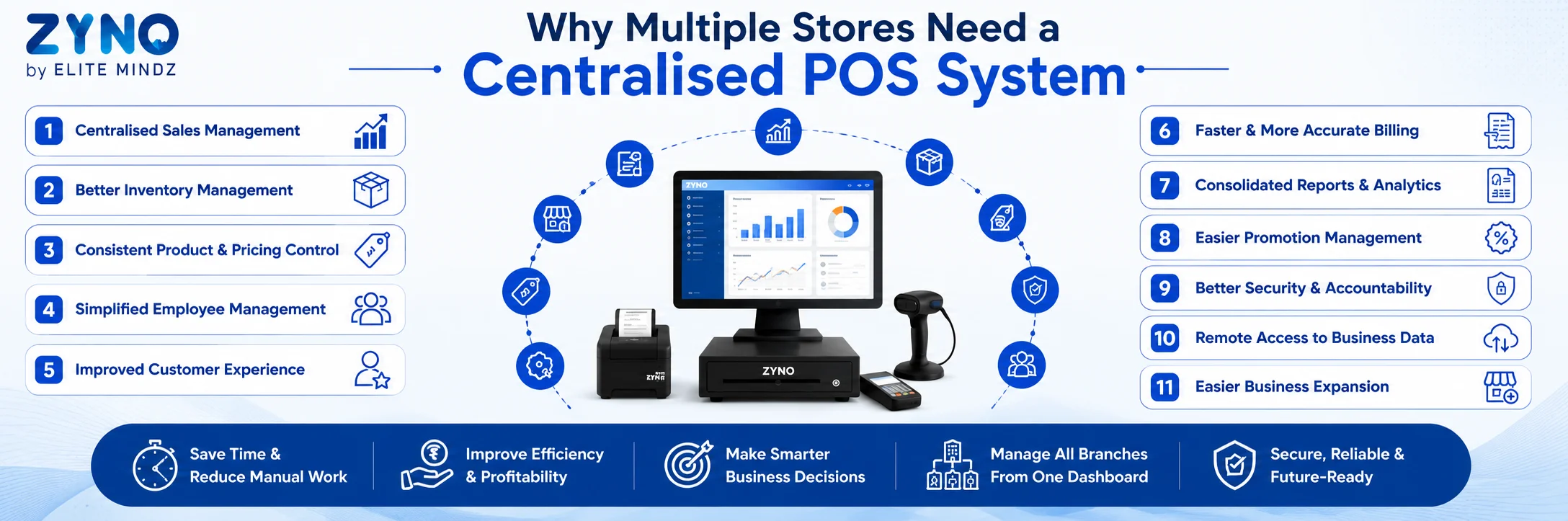
One of the main benefits of a multi-store POS system is the ability to monitor sales across all business locations.
Instead of waiting for branch managers to send daily reports, owners can view real-time information through one dashboard.
The system can display:
A multi-location POS system also makes store comparison easier. Management can identify which outlets are performing well and which stores may need additional attention.
For example, if one location has lower sales than similar branches, the business owner can investigate inventory shortages, staffing issues, local pricing, or customer demand.
Manage all your stores from one powerful platform with ZYNO POS by Elite Mindz. Track sales, inventory, stock transfers, billing, and performance across multiple locations in real time while improving operational efficiency.
Inventory control becomes more complicated when a business operates multiple stores.
A product may be out of stock at one branch while another location has more stock than it can sell. Without real-time information, businesses may place unnecessary purchase orders or lose sales because products are unavailable.
A multi-store POS system provides accurate inventory visibility across every location.
Business owners can monitor:
This helps businesses reduce overstocking, avoid shortages, and improve cash flow.
Good POS software for multiple locations should support stock transfers between stores.
If one branch is running low on a popular product, stock can be transferred from another outlet. The system records the movement and automatically updates inventory levels at both locations.
This feature is essential for effective multiple store management because it helps businesses use existing inventory before placing new supplier orders.
Updating products and prices manually at every location can take time and create errors.
One store may continue using an old price while another applies the updated price. Product descriptions, tax settings, promotions, or barcodes may also become inconsistent.
A centralised store management system allows authorised users to update information from one platform.
Businesses can manage:
Updates can be applied across all outlets or only to selected locations.
This makes it easier to launch new products, change prices, and maintain a consistent customer experience across multiple stores.
Managing employees across several locations requires clear roles, accurate activity records, and strong access controls.
A multi-location POS system can help owners monitor employee performance and manage permissions across every branch.
Managers can review:
Role-based permissions also improve security.
For example, cashiers may be allowed to create bills but not change prices. Store managers may approve returns, while only senior management can view company-wide reports.
This creates greater accountability and improves overall multi-store management.
Customers expect the same quality of service at every branch.
A multi-store POS system can create a shared customer database across all business locations. This allows businesses to recognise customers regardless of which store they visit.
Customer profiles may include:
A customer may earn loyalty points at one branch and redeem them at another. This creates a smoother shopping experience and encourages repeat visits.
Businesses can also use customer information to send personalised promotions, birthday offers, loyalty rewards, and product recommendations.
Efficient billing is important for customer satisfaction.
Long queues, billing errors, and slow payment processing can affect the customer experience, especially during busy hours.
Modern POS software for multiple locations can provide:
Faster transactions help employees serve more customers while reducing manual errors.
For restaurants and cafés, a multi-store POS system may also include table management, kitchen order tickets, online ordering, menu modifiers, and delivery integrations.
Accurate reports are essential for managing multiple stores successfully.
When every branch uses separate systems, owners may spend hours collecting and combining information. A multi-location POS system automatically consolidates data from every outlet.
Useful reports may include:
These reports help businesses answer important questions.
Which store generates the most revenue? Which products are selling slowly? Where is stock being lost? Which employees have the highest sales? Which promotions are producing the best results?
With real-time insights, owners can make decisions based on accurate data rather than assumptions.
Running promotions across multiple stores can be difficult when each branch manages discounts separately.
Employees may use expired offers, apply incorrect discounts, or misunderstand campaign rules.
A centralised store management system allows management to create and control promotions from one dashboard.
Businesses can configure:
The POS automatically applies the correct promotion during billing. This improves consistency and reduces unauthorised discounts.
A multi-store POS system records important activities such as sales, refunds, discounts, cancellations, cash movements, and stock adjustments.
This creates a clear audit trail across all business locations.
Important security features may include:
Owners can review unusual transactions and limit access to sensitive information.
For businesses operating multiple stores, this level of accountability helps reduce errors, misuse, and inventory loss.
Cloud-based POS software allows owners to access business information from anywhere.
An authorised user can check sales, inventory, employee activity, and branch performance using a computer, tablet, or mobile device.
This is especially useful for business owners who travel frequently or manage stores in different cities.
A cloud-based multi-location POS system allows management to stay connected without being physically present at every outlet.
Opening a new location involves setting up products, prices, employees, inventory, payment methods, and reports.
A scalable multi-store POS system simplifies this process.
Instead of creating a separate system for every branch, businesses can add a new location to the existing POS platform. Product catalogues, tax settings, employee roles, and reporting formats can be copied or configured centrally.
This creates a consistent operating structure from the first day.
The right POS software for multiple locations can support a business as it expands from two outlets to five, ten, or more.

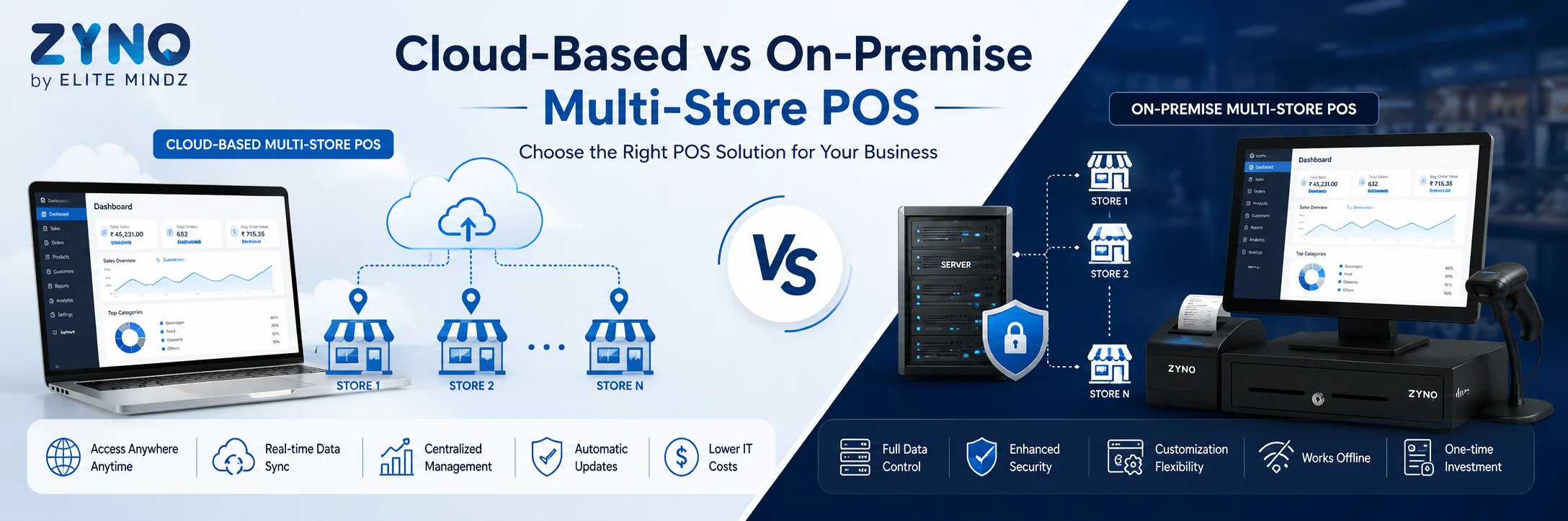
A cloud-based multi-store POS stores business information online and synchronises data between locations.
Its benefits may include:
An on-premise POS stores information on local systems or servers. It may provide greater local control, but businesses often need to manage updates, maintenance, backups, and security themselves.
For many growing businesses, a cloud-based store management system offers greater flexibility.
However, the right option depends on internet reliability, security requirements, operational needs, and budget.
Businesses should also look for offline billing functionality so transactions can continue during temporary internet interruptions.
Before selecting a POS platform, businesses should evaluate their current requirements and future growth plans.
Retail stores, restaurants, supermarkets, salons, pharmacies, and service businesses need different features. Choose a system designed for your industry.
Confirm how many branches the POS can support. Also check whether there are additional fees for adding stores, registers, or users.
Look for stock transfers, low-stock alerts, purchase orders, supplier management, inventory valuation, and branch-level stock reports.
The POS may need to connect with:
The system should provide both individual store reports and consolidated business reports.
Employees should be able to learn the software quickly. Request a live demonstration and test billing, returns, stock transfers, reporting, and daily closing.
Check support hours, training, onboarding, response times, and escalation procedures.
Consider subscription fees, hardware, installation, integrations, support, upgrades, and additional branch charges.
Manage all your stores from one powerful platform with ZYNO POS by Elite Mindz. Track sales, inventory, stock transfers, billing, and performance across multiple locations in real time while improving operational efficiency.
Businesses should not choose a multi-store POS system based only on price.
A low-cost solution may become expensive if it lacks important features or requires paid add-ons.
Other mistakes include:
The best store management system should solve current challenges while supporting future business growth.
Managing multiple stores does not have to mean managing multiple disconnected systems.
A multi-store POS system connects sales, inventory, employees, customers, payments, and reports across all locations.
With a centralized multi-location POS system, owners can maintain consistent pricing, transfer stock, monitor performance, manage promotions, and make informed business decisions.
Reliable POS software for multiple locations also reduces manual work and creates a stronger foundation for expansion.
For businesses focused on effective multiple store management, the best solution is one that is simple to use, scalable, secure, and compatible with existing business tools.
What is a store management system?
A store management system is software that helps businesses manage sales, inventory, employees, customers, billing, suppliers, and reports. A multi-store system connects these functions across several locations.
What is a multi-location POS system?
A multi-location POS system is point-of-sale software that allows businesses to manage multiple branches from one central platform. It provides separate and consolidated sales, inventory, employee, and performance data.
Can one POS system manage multiple stores?
Yes. A multi-store POS system can manage sales, inventory, pricing, customers, employees, and reports across several business locations.
What is the best POS software for multiple locations?
The best POS software for multiple locations depends on the type of business, number of outlets, inventory needs, integrations, reporting requirements, and budget.
Can stock be transferred between stores?
Yes. Most advanced multi-store POS systems support stock transfers between locations and automatically update inventory at both stores.
Can every store have different prices?
Many systems allow businesses to use the same pricing across all stores or configure separate prices for selected locations.
Is a multi-store POS suitable for restaurants?
Yes. Restaurants can use a multi-store POS system to manage menus, tables, kitchen orders, online orders, employees, inventory, and consolidated sales reports.
What happens when the internet is unavailable?
A system with offline billing can continue processing transactions during temporary internet outages. The data is synchronised when the connection returns.
What Is a Point of Sale System and How Does It Work?
Read More →
Top 10 Point of Sale Software in India
Read More →
POS Systems Explained: A Beginner’s Guide
Read More →
Restaurant POS in India: A Complete Buying Guide
Read More →
How a Multi-Store POS System Simplifies Multi-Location Business Management
Read More →Partner with ZYNO by Elite Mindz to revolutionize how your business works. Fill out the form, and we’ll reach out with AI-powered solutions made just for you.
We use browser cookies to ensure you get the best experience on our website. Learn more
The form was submitted successfully!
ZYNO Digital
Fueling Smarter Digital Growth
ZYNO Digital fuels smarter digital growth through data-driven marketing, creative storytelling, and performance strategies that boost visibility, engagement, and measurable business outcomes across global platforms.
ZYNO Tech
Engineering the Future of IT
ZYNO Tech delivers cutting-edge IT solutions — including web, mobile, and digital transformation services — helping businesses scale efficiently, innovate faster, and stay ahead in a connected world.
ZYNO AI
AI Built for Business Growth
ZYNO AI harnesses the power of artificial intelligence to automate processes, enhance decision-making, and deliver predictive insights — driving innovation, agility, and measurable business growth.
ZYNO by Elite Mindz
Your Partner in the AI-Powered Future
ZYNO by Elite Mindz offers AI-powered products and services that unify operations, boost productivity, and drive digital transformation — helping businesses scale smarter and innovate faster.
* In just 2 mins you'll get a response
* Your idea is 100% protected by our Non-Disclosure Agreement