What Is a Point of Sale System and How Does It Work?
Read More →

×
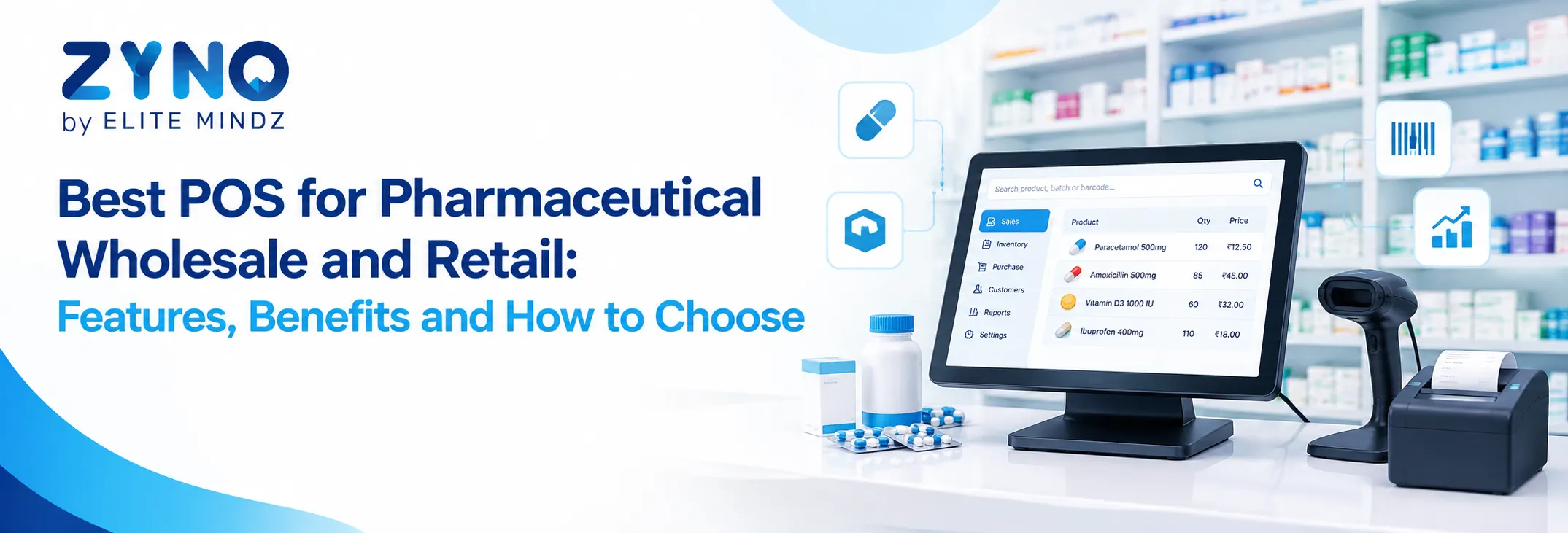
The best POS for pharmaceutical wholesale and retail helps businesses manage medicine billing, batch tracking, expiry dates, inventory, and GST invoices in one system. Look for features such as barcode scanning, bulk order processing, wholesale pricing, supplier management, and stock alerts. A reliable pharmacy POS system improves billing accuracy, streamlines inventory control, and supports efficient operations as pharmaceutical businesses grow.
Businesses using ZYNO Books cut accounting time by 70% and stay 100% ZATCA-compliant — automatically.
Pharmaceutical businesses must manage medicine inventory, batch numbers, expiry dates, supplier purchases, customer billing, and regulatory records while maintaining accurate stock levels. These responsibilities become more challenging when a business handles both wholesale distribution and retail pharmacy sales. A suitable POS system helps simplify daily operations, improve inventory visibility, and manage transactions from a centralized platform.
The best POS for pharmaceutical wholesale and retail should support medicine billing, batch tracking, expiry date management, barcode scanning, purchase orders, and GST invoicing. It should also accommodate wholesale pricing, bulk orders, retail transactions, and stock transfers where required. Choosing the right system helps pharmacies and pharmaceutical distributors manage their operations more efficiently as the business grows.
A POS system for pharmaceutical wholesale and retail is a software solution that manages sales, billing, inventory, and transaction records for businesses selling medicines to individual customers, pharmacies, clinics, hospitals, and other buyers.
Unlike a basic retail billing application, pharmaceutical POS software needs to handle medicine-specific information, including batch numbers, manufacturing dates, expiry dates, packaging units, and applicable taxes. Wholesale businesses may also require bulk billing, customer-specific pricing, credit sales, and distributor order management.
A reliable POS system for retail and wholesale operations allows businesses to manage different sales channels while maintaining consistent inventory records. It can reduce repetitive data entry, help staff identify products quickly, and provide reports for purchasing and sales decisions.
Pharmaceutical wholesalers and retailers face different operational challenges. Retail pharmacies process frequent individual transactions, while wholesalers manage bulk orders, multiple customers, supplier relationships, and larger inventory volumes.
Using separate systems can create duplicate records, stock mismatches, and reporting difficulties. A unified POS for wholesale and retail can help businesses maintain centralized product information and coordinate inventory across both operations.
For example, when medicines are sold through the retail counter or dispatched to a wholesale customer, the system should update stock records accordingly. This improves stock visibility and helps purchasing teams make replenishment decisions based on actual inventory movement.
Run Your Pharmacy Smarter with ZYNO POS
Manage wholesale and retail billing, batch and expiry tracking, stock alerts, supplier purchases, GST invoicing, and sales reports with ZYNO POS. Reduce billing errors, avoid expired stock, and keep your pharmacy operations accurate and compliant.
Request a Free Demo Explore ZYNO POS
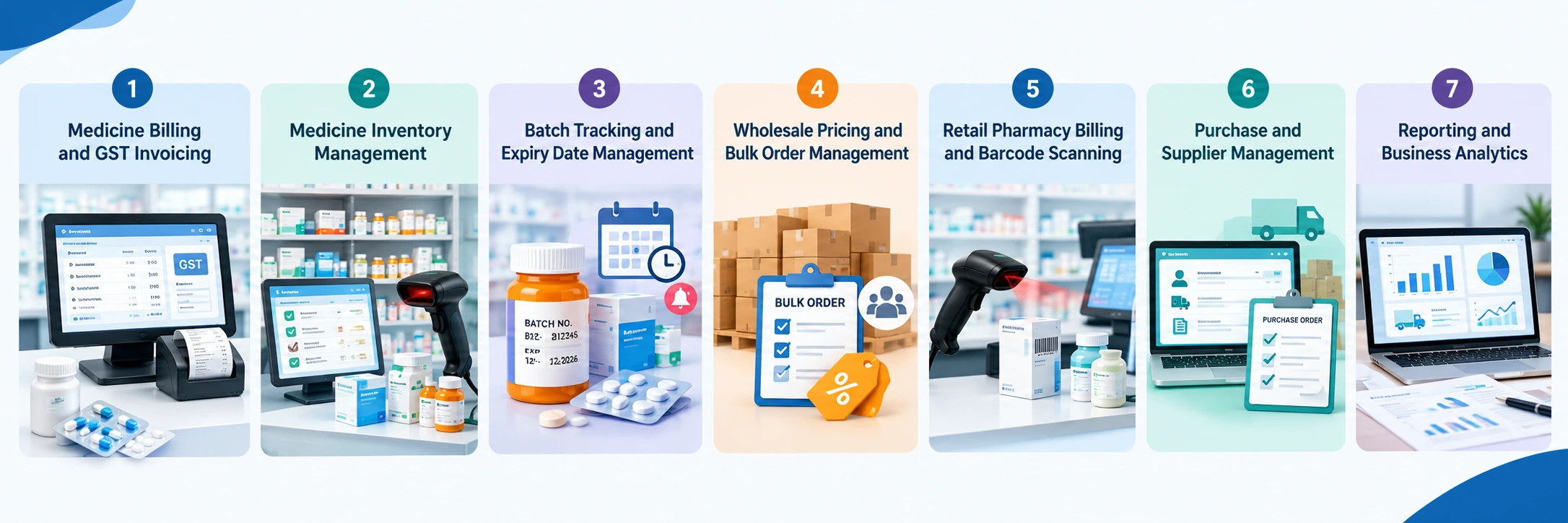
Fast, accurate billing is essential for pharmaceutical businesses. Pharmacy POS software should generate invoices, calculate applicable taxes, apply authorized discounts, and maintain transaction records.
For retail pharmacies, the system should support quick billing for individual customers. Wholesale operations may need bulk invoicing, customer-specific price lists, and multiple product quantities on a single invoice.
Before purchasing software, confirm that its GST configuration supports your business requirements and that invoices can include the relevant product, quantity, pricing, and tax details.
Medicine Inventory Management Software helps businesses monitor stock quantities, purchases, sales, returns, and stock adjustments. This is particularly important for businesses handling hundreds or thousands of medicine products.
Useful inventory capabilities include:
These features help reduce stock discrepancies, improve purchasing decisions, and provide better visibility into available medicines.
Medicine batches can have different manufacturing and expiry dates, even when they contain the same product. Tracking these details helps businesses identify which stock should be sold or distributed first.
Pharmacy POS Software with Batch Tracking should allow users to record batch numbers, expiry dates, quantities, and other relevant product information. Where supported, the system can provide alerts for approaching expiry dates and help staff identify expired stock.
Drug Expiry Tracking Software capabilities are particularly useful for pharmacies and distributors managing large inventories. Businesses should look for batch-wise reports, expiry alerts, stock segregation, and configurable rules for handling near-expiry products.
The software should support appropriate stock rotation practices, such as first-expiry-first-out (FEFO), where applicable. Staff must still verify products and follow relevant pharmaceutical storage and dispensing requirements.
Wholesale pharmaceutical businesses often sell medicines in larger quantities and operate with different pricing arrangements for pharmacies, hospitals, clinics, and other customers.
A suitable system should support bulk quantity billing, customer-specific price lists, discount rules, and order processing. It may also provide customer account management, credit limits, outstanding payment reports, and sales history.
These features help businesses process recurring orders more efficiently and maintain clearer records of wholesale transactions.
Retail medical stores need a quick checkout process that minimizes errors and helps employees identify the correct medicine.
A pharmacy POS system with barcode scanning can retrieve product details and simplify billing. Staff should be able to verify the medicine name, strength, packaging, price, and batch information where available.
For retail pharmacies, additional useful capabilities include sales returns, prescription-related workflows where appropriate, customer records, payment tracking, and daily sales summaries.
Pharmaceutical businesses depend on regular replenishment from manufacturers, stockists, and distributors. Purchase management features help maintain supplier records, create purchase orders, record incoming stock, and compare ordered quantities with received goods.
A well-integrated system can connect purchasing records with inventory updates. This helps businesses track supplier performance, identify shortages, and maintain organized purchase histories.
Wholesale operations may also benefit from supplier-wise pricing records and reports that help purchasing teams compare costs and manage replenishment more effectively.
Reporting helps owners and managers understand how the business is performing across wholesale and retail operations.
Useful reports include:
These insights support better inventory planning, purchasing decisions, and business management.
Explore More Topics:
POS Software Checklist
POS System for Small Businesses
Grocery Store POS Software
Supermarket POS Software in UAE
Implementing a suitable POS solution can provide several benefits for pharmaceutical businesses.
Improved stock visibility: Centralized inventory records help staff check available quantities across supported locations and sales channels.
Reduced manual work: Automated billing, inventory updates, and reporting reduce repetitive administrative tasks.
Better expiry management: Batch-wise records and expiry alerts help staff identify stock that needs attention.
Faster transactions: Barcode scanning and streamlined invoicing can improve checkout and order processing.
More organized wholesale operations: Bulk billing, customer pricing, and account records help manage distributor transactions.
Better purchasing decisions: Sales and stock reports help businesses identify replenishment requirements and slow-moving products.
Simplified business monitoring: Consolidated reports can provide visibility into wholesale and retail performance from one platform.
Actual benefits depend on the software's features, implementation, and the accuracy of the data entered.
Although both business models use billing and inventory management, their workflows can differ significantly.
|
Feature |
Retail Pharmacy POS |
Wholesale Pharmaceutical POS |
|
Billing |
Individual customer transactions |
Bulk orders and business invoices |
|
Inventory |
Counter-level stock management |
Large-volume and warehouse stock |
|
Pricing |
Retail prices and permitted discounts |
Customer-specific and bulk pricing |
|
Customers |
Individual consumers |
Pharmacies, clinics, hospitals, and retailers |
|
Payments |
Immediate payments and supported payment methods |
Credit terms and outstanding account tracking |
|
Orders |
Frequent, smaller transactions |
Large orders and recurring customer purchases |
|
Reporting |
Daily sales and product performance |
Customer-wise sales, bulk movement, and receivables |
Businesses operating both models should choose software that can handle these differences without creating duplicate product records or inconsistent stock information.
A basic retail POS system may work well for a small medical store with limited inventory and straightforward billing requirements. However, as a pharmaceutical business expands into wholesale distribution, its operational needs become more complex.
Wholesalers outgrow retail POS software when they need capabilities such as bulk order processing, warehouse management, customer-specific pricing, credit sales, batch-wise dispatch, and supplier purchasing workflows that their existing system cannot adequately support.
For example, a distributor supplying medicines to several pharmacies may need to manage multiple warehouses, different customer price lists, large invoices, and expiry-based stock allocation. A retail-focused application without these capabilities can lead to additional manual work and reporting gaps.
When evaluating an upgrade, businesses should consider whether the software supports:
A scalable wholesale and retail POS system can help businesses manage their current requirements while preparing for future expansion. Pharmaceutical companies with advanced distribution, financial, compliance, or warehouse requirements should also evaluate whether they need a full pharmacy management system, distribution management system, or ERP integrated with their POS.
View Related Posts :
Best POS Software for Clothing Stores
Cloud POS vs Traditional POS
Top 10 Restaurant Billing Software in India
Top 10 POS Software for Retail Shops in India
Best POS Software for Jewellery Shops
Before choosing a solution, evaluate its capabilities against your business model and daily workflows.
Determine whether you operate a retail medical store, pharmaceutical wholesale business, or both. List your needs for billing, inventory, batch tracking, expiry alerts, bulk orders, and customer account management.
Check whether the software tracks batch numbers, expiry dates, product packaging, and stock movement. Ask how it handles near-expiry stock, expired products, returns, and batch-level reporting.
If you supply medicines to other businesses, confirm support for bulk invoicing, customer-specific pricing, credit sales, purchase orders, and warehouse operations.
Look for accounting integrations, barcode hardware compatibility, payment integrations, and multi-location support where required. Make sure the system can handle increased transactions and inventory as your business grows.
Compare licensing or subscription fees, implementation expenses, training, hardware, upgrades, and ongoing support. Request a demonstration using realistic wholesale and retail transactions before making a final decision.
Check access controls, audit trails, backups, and reporting capabilities. Ensure the system supports your applicable tax, recordkeeping, and pharmaceutical business requirements. Software alone does not guarantee regulatory compliance, so verify the relevant workflows with your compliance team.
Choose the Right POS for Your Pharmacy Business
Whether you run a wholesale distribution unit or a retail medical store, ZYNO POS helps you handle fast billing, batch-wise stock, expiry alerts, customer and supplier records, and GST-ready invoices, all from one simple system.
Book a Free Demo See ZYNO POS FeaturesThe best POS for pharmaceutical wholesale and retail should do more than generate bills. It should help businesses manage medicine inventory, batch numbers, expiry dates, supplier purchases, wholesale pricing, retail transactions, and sales reports in a coordinated system.
A retail-focused POS may suit a small medical store, while a growing distributor may require advanced wholesale billing, warehouse controls, customer accounts, and integrated purchasing. Evaluate these requirements carefully before selecting a solution.
Choosing a scalable POS system for retail and wholesale can help pharmaceutical businesses improve stock visibility, streamline transactions, reduce manual errors, and manage growth with greater operational control.
1. What is the best POS for pharmaceutical wholesale and retail?
The best POS system for pharmaceutical wholesale and retail supports medicine billing, batch tracking, expiry date management, inventory control, GST invoicing, and bulk order processing.
2. What features should pharmacy POS software include?
Pharmacy POS software should include billing, barcode scanning, batch tracking, expiry alerts, inventory management, purchase records, supplier management, and sales reporting.
3. Can a POS system manage both wholesale and retail pharmacy sales?
Yes, a suitable POS system can manage retail counter sales and wholesale transactions, including bulk billing, customer-specific pricing, inventory updates, and sales reports.
4. How does pharmacy POS software manage medicine expiry dates?
Pharmacy POS software records batch numbers and expiry dates, helping businesses identify near-expiry medicines, monitor stock, and reduce losses from expired inventory.
5. Can pharmaceutical POS software track medicine batches?
Yes, batch tracking helps retailers and wholesalers monitor medicine quantities, expiry dates, purchase records, and sales associated with individual batches.
6. Does pharmacy POS software support GST billing?
Many pharmacy POS systems support GST invoicing, applicable tax calculations, and transaction reports. Businesses should verify that the software meets their specific tax requirements.
7. How does a POS system help pharmaceutical wholesalers?
A POS system helps wholesalers manage bulk orders, customer pricing, supplier purchases, inventory, invoices, payment records, and medicine distribution more efficiently.
8. Can pharmacy POS software manage multiple stores or warehouses?
Some systems support centralized inventory, stock transfers, and sales reporting across multiple pharmacies, warehouses, and distribution locations.
9. Why do pharmaceutical wholesalers outgrow retail POS software?
Wholesalers often need advanced features such as bulk order processing, warehouse management, customer credit accounts, batch-wise dispatch, and wholesale pricing that basic retail POS systems may not provide.
10. How should businesses choose the best pharmaceutical POS system?
Businesses should compare batch tracking, expiry management, wholesale billing, inventory control, GST invoicing, integrations, scalability, pricing, data security, and technical support before choosing a system.
What Is a Point of Sale System and How Does It Work?
Read More →
Top 10 Point of Sale Software in India
Read More →
POS Systems Explained: A Beginner’s Guide
Read More →
Restaurant POS System in India: A Complete Buying Guide
Read More →
How a Multi-Store POS System Simplifies Multi-Location Business Management
Read More →
Best POS System for Retail Store: Features, Benefits & Buying Guide
Read More →
Supermarket POS Software in UAE: How to Simplify Sales, Inventory & Store Management
Read More →
Point of Sale Systems in Kenya: Features, Benefits & How to Choose the Right POS
Read More →
Store Inventory Excel Sheet Free Download: Templates, Formulas, and Tracking Tips
Read More →
Khata App Alternatives: Best Options for All Businesses
Read More →
POS Machine: Types, Features & How to Choose the Right One
Read More →
Top 8 Square Alternatives for Small Businesses in 2026
Read More →
Modern POS Solutions in Kenya for Retail, Restaurants and Growing Businesses
Read More →
Top Vyapar Alternatives: Best Billing & POS Software
Read More →
Grocery Store POS Software: Features, Benefits & Buying Guide
Read More →
POS System for Small Businesses: Features, Costs & Benefits
Read More →
POS Software Checklist: 15 Features Every Business Should Consider
Read More →
Top 10 POS Software for Retail Shops in India: Which One Fits Your Shop? (2026 Guide)
Read More →
Top 10 Restaurant Billing Software in India for 2026: Detailed Comparison Guide
Read More →
Cloud POS vs Traditional POS: Which Is Better for Your Business?
Read More →
Best POS Software for Clothing Stores With Size and Colour Inventory Tracking
Read More →
Best POS Software for Jewellery Shops: Features, Benefits and Buying Checklist
Read More →
Best POS for Pharmaceutical Wholesale and Retail: Features, Benefits and How to Choose
Read More →Partner with ZYNO by Elite Mindz to revolutionize how your business works. Fill out the form, and we’ll reach out with AI-powered solutions made just for you.
We use browser cookies to ensure you get the best experience on our website. Learn more
The form was submitted successfully!